Our Posts

How Industrial Contractors Can Eliminate Downtime with Smarter IT Infrastructure

In construction, time is money. Every delayed milestone, every idle machine, and every stalled crew translates into wasted dollars, strained relationships, and sometimes even contractual penalties. For industrial contractors, the risks are even greater: multimillion-dollar projects, complex coordination between teams, and safety requirements that leave little room for error.

Increasingly, the culprit behind these costly delays isn’t poor planning or bad weather—it’s IT downtime. Networks fail, servers crash, design files go offline, or cloud tools freeze. When this happens on a job site, schedules unravel and productivity plummets.

The good news is that smarter IT infrastructure—rooted in structured cabling, Hosted Ownership, and proactive monitoring—can eliminate downtime risks and keep heavy projects on track. This article explores the true cost of downtime, the unique IT challenges industrial contractors face, and how modern solutions provide the safety net every project manager, CFO, and site supervisor needs.

The Real Cost of IT Downtime on Construction Projects

When networks stall, it’s not just a minor inconvenience. It’s expensive. Every minute of downtime compounds losses across labour, equipment, and client relationships.

  • Project delays: When project management tools like Procore or Autodesk crash, schedules grind to a halt. Architects and subs wait for design updates, and milestones slip.
  • Idle labour and equipment: Crews can’t proceed without digital work orders, safety checklists, or updated drawings. Heavy machinery may sit idle, racking up rental costs.
  • Cost overruns and penalties: Contracts often include strict deadlines. Missing them can trigger penalties, inflate labour costs, and delay material deliveries.
  • Client dissatisfaction: Clients expect regular updates and transparency. When IT downtime blocks reporting tools, trust erodes and reputations suffer.
  • Safety risks: Modern safety compliance depends on mobile checklists, digital hazard alerts, and online training modules. Downtime interrupts these systems, raising accident risks and liability.

In short, IT downtime is no longer a “back office” inconvenience—it’s a frontline construction risk with financial, operational, and reputational consequences.

Why Construction IT Is So Vulnerable

Industrial contractors face unique technology hurdles compared to traditional office environments.


1. Poor Connectivity in Remote Locations

Construction sites often rely on temporary or inconsistent internet connections. Weak Wi-Fi or unreliable hotspots make it difficult for field teams to access blueprints, schedules, or real-time updates.


2. Outdated Hardware and Software

Legacy laptops, servers, and storage systems lack the power to support modern workloads. They crash more often, can’t keep up with BIM/CAD files, and create bottlenecks across sites.


3. Lack of Real-Time Monitoring

Without 24/7 system monitoring, issues go unnoticed until they cause major disruptions. By the time someone realises a server is down, productivity has already stalled.


4. Infrequent Maintenance

In rugged environments, dust, heat, and mobility put extra strain on hardware. Without regular maintenance, downtime events become more frequent and harder to recover from.


5. Limited IT Support

Many contractors don’t maintain full-time IT teams. When systems fail, troubleshooting falls on managers or external vendors—delaying resolution and escalating costs.


Learning from Manufacturing: Smarter IT for Uptime

Other industries facing high-stakes downtime—like manufacturing—have already adopted smarter infrastructure to minimise disruption. Their strategies provide lessons for industrial contractors.


Edge Computing

By processing data closer to where it is generated (on the factory floor or job site), edge computing reduces latency and speeds up decision-making. For contractors, localised servers and edge devices mean teams can access critical data instantly without waiting on a remote cloud.


Predictive Maintenance

IoT sensors monitor equipment in real time, flagging issues before they escalate into breakdowns. Just as predictive maintenance reduces machine downtime in manufacturing, similar approaches can detect failing IT components before they collapse mid-project.


AI and Automation

AI-driven analytics provide insights into system performance, identify risks, and optimise workflows. For contractors, this means faster troubleshooting, automated monitoring, and smarter allocation of IT resources across sites.


Hosted Ownership: A Smarter Alternative to Public Cloud

Many contractors assume the public cloud is the solution to IT downtime. While flexible, global cloud platforms often introduce new problems: unpredictable costs, data residency risks, and limited control over performance.

Hosted Ownership, Megawire’s hybrid IT model, offers a smarter alternative:

  • You own the equipment—servers, storage, firewalls—ensuring long-term control and ROI.
  • We host it in Canadian-owned data centres, where power, cooling, redundancy, and security are fully managed.
  • Proactive monitoring ensures issues are detected before they cause disruption.

For contractors, this means predictable IT performance, compliance with Canadian regulations, and high-touch local support—without surprise cloud invoices.

Structured Cabling: The Foundation for Reliable Connectivity

On job sites, reliable connectivity is the backbone of productivity. Structured cabling solutions provide:

  • High-speed performance: Supports CAD, BIM, and project management tools without lag.
  • Flexibility: Cabling systems scale as projects grow or sites expand.
  • Durability: Ruggedised infrastructure withstands harsh construction environments.
  • Future-proofing: Ensures compatibility with new technologies, from IoT sensors to edge devices.

By investing in structured cabling, contractors eliminate one of the leading causes of downtime: unstable, makeshift networks.

Proactive Monitoring: Stop Problems Before They Start

The most expensive downtime events are often preventable. With 24/7 proactive monitoring, contractors gain:

  • Real-time alerts: IT teams are notified the moment performance deviates from benchmarks.
  • Predictive insights: Data analytics identify potential failures before they occur.
  • Faster response times: Issues are resolved before they escalate to full-blown outages.
  • Improved safety compliance: Monitoring ensures digital safety systems remain online and accessible.

Instead of waiting for systems to fail, proactive monitoring builds resilience into every project.

Real-World Impact: Case Scenarios


A Delayed High-Rise Project

An industrial contractor working on a high-rise project experienced repeated internet outages. Each disruption delayed schedule updates and subcontractor coordination, costing tens of thousands in labour overruns. After implementing structured cabling and localised edge servers, downtime was virtually eliminated, and project timelines stabilised.


A Manufacturing Facility Expansion

A contractor building a new manufacturing facility faced IT bottlenecks when CAD files couldn’t sync across remote sites. Hosted Ownership provided reliable access to project data with Canadian residency guarantees, enabling teams to collaborate seamlessly while meeting strict compliance requirements.


A Municipal Infrastructure Upgrade

A government project was stalled when project management software went offline due to outdated servers. With proactive monitoring and Canadian-hosted redundancy, the contractor ensured uninterrupted access to digital tools, protecting both schedules and public trust.

The CFO’s Perspective: IT as a Strategic Investment

For CFOs, IT downtime is a budgetary nightmare. Unplanned outages introduce unpredictable costs—overtime, penalties, idle equipment—that eat into margins.

By contrast, investing in smarter IT infrastructure delivers:

  • Predictable costs: Hosted Ownership eliminates hidden cloud fees.
  • Reduced risk exposure: Compliance with PIPEDA and industry standards avoids fines.
  • Stronger ROI: Uptime improvements translate directly into more billable hours and fewer penalties.

For finance leaders, smarter IT is not a cost—it’s a risk management strategy.

The IT Director’s Role: Building Resilience

IT leaders within construction firms are tasked with bridging the gap between rugged job sites and enterprise-grade IT systems. Their priorities include:

  • Designing scalable, durable infrastructure that works across multiple sites.
  • Deploying structured cabling and edge systems to ensure reliable connectivity.
  • Implementing disaster recovery and monitoring to guarantee business continuity.
  • Ensuring compliance and data residency for sensitive project data.

Partnering with a local provider like Megawire ensures IT Directors can deliver these outcomes without overstretching internal teams.

Building a Culture of Proactive IT

Technology alone won’t eliminate downtime—it must be paired with cultural change. Contractors can strengthen resilience by:

  • Encouraging crews to report IT issues early.
  • Training staff to use digital tools effectively.
  • Rewarding proactive behaviours that prevent disruptions.
  • Aligning IT goals with broader project outcomes.

Just as safety culture transformed job sites, IT uptime culture can become a shared value that boosts productivity and accountability.

Key Takeaways

  • IT downtime costs construction projects millions in delays, penalties, and lost trust.
  • Industrial contractors face unique risks, from poor site connectivity to outdated hardware.
  • Manufacturing best practices—edge computing, predictive maintenance, AI—offer lessons for contractors.
  • Megawire’s Hosted Ownership, structured cabling, and proactive monitoring eliminate downtime risks while ensuring compliance and predictability.
  • For CFOs and IT Directors alike, investing in smarter IT infrastructure is both a financial safeguard and an operational necessity.


In an industry where every minute counts, industrial contractors cannot afford to be sidelined by IT failures. From stalled schedules to idle machinery, the ripple effects of downtime are too costly to ignore.

The solution lies in smarter IT infrastructure. By investing in structured cabling, Hosted Ownership, and proactive monitoring, contractors can eliminate downtime risks, ensure compliance, and keep projects moving on time and on budget.

At Megawire, we’ve built our services specifically for Canadian businesses in high-stakes industries. With Canadian-owned data centres, SOC 2 Type II compliance, and high-touch local support, we deliver the resilience industrial contractors need to succeed in today’s digital construction environment.

Because when your IT works, your projects work. And in construction, that makes all the difference.


_______________________________________________________________________________________________________________________________________________________

Schedule a call today with one of our team members to discuss your Managed IT services needs with Megawire – For more details, Click Here.

_______________________________________________________________________________________________________________________________________________________

This blog is not meant to provide specific advice or opinions regarding the topic(s) discussed above. Should you have a question about your specific situation, please discuss it with your Megawire IT advisor.

Megawire is a full-service Managed IT services provider. We primarily service all of Ontario and the rest of Canada, the US, and Australia virtually. Our team provides IT infrastructure assessments, network security audits, cloud computing solutions, and IT support for businesses of all sizes and industries.

If you would like to schedule a call to discuss your Managed IT services with one of our team members, please complete the free no-obligation meeting request. – For more details, Click Here.

The Hidden Costs of Public Cloud for Canadian Businesses

In 2025, Canadian businesses are more digitally dependent than ever before. Financial institutions, manufacturers, contractors, and government agencies all rely on fast, secure, and resilient IT infrastructure to keep operations running. For years, the public cloud has been marketed as the ultimate answer: scalable, flexible, and cost-efficient.

But behind the promise of simplicity lies a growing challenge that many CFOs now know all too well—unpredictable public cloud costs.

Across Canada, executives are opening invoices that don’t align with their budgets. What was once pitched as a cost-saver is, for many mid-sized organizations, becoming a source of financial strain. The culprit? Hidden costs buried in the fine print: egress fees, storage charges, support premiums, and unpredictable scaling costs.

For CFOs tasked with ensuring financial sustainability and predictability, these surprises are more than frustrating—they can be disruptive.

The good news? There are cloud alternatives designed for Canadian businesses that want the benefits of cloud technology without the volatility. One such model is Hosted Ownership, a hybrid approach that combines the control of owning your IT infrastructure with the convenience and resilience of local data-centre hosting.

In this article, we’ll break down the true cost of the public cloud, why these costs are becoming increasingly problematic for Canadian businesses, and how Hosted Ownership offers a more predictable, secure, and financially sound solution.

The Allure of the Public Cloud

When hyperscale cloud providers first entered the Canadian market, they promised agility and cost savings. The pitch was simple:

  • No upfront investment in servers or data centres
  • Pay for what you use with on-demand scalability
  • Automatic updates and patches handled by the provider
  • Global infrastructure that grows with your business

For many companies, this seemed like the perfect alternative to the capital-heavy model of building and maintaining on-premises infrastructure. And in certain cases—such as startups, seasonal businesses, or companies with highly unpredictable workloads—it can be.

Source 1: “Cloud computing … reduce[s] upfront capital expenditures on physical infrastructure by shifting to an operational expenditure model, where costs scale with usage.”

Link:  Wikipedia

But as more Canadian mid-sized businesses adopted public cloud, reality set in: the promise of lower IT expenses in Canada doesn’t always match the actual bills.

Source 2: According to Gartner and the 2024 Flexera State of the Cloud Report:

  • 69 % of IT leaders reported budget overruns on cloud spending in 2023.
  • Public cloud costs exceeded budgets by an average of 15 %.
  • Cost savings remain a top initiative (60 %), but managing spend is the primary challenge.

Link: Wikipedia

The Hidden Costs Lurking in the Public Cloud

  1. Egress Fees (The Data Exit Tax)

One of the most surprising expenses for CFOs comes in the form of egress fees—charges applied when data leaves a public cloud environment.

  • Uploading data to the cloud is typically free.
  • Downloading or transferring that data elsewhere? That’s where the bill skyrockets.

For industries like financial services, manufacturing, and government, where large volumes of data need to move between systems, partners, and customers, these fees add up quickly. A company may budget for storage costs but overlook the cost of actually using that data.

  • In practical terms, if a manufacturer moves large CAD files between its design team, suppliers, and clients—or if a financial institution is required to provide transaction data for regulatory audits—the egress costs can rival or exceed the cost of storing the data itself.Source 3: ThinkOn (Ontario-based cloud provider) highlights that hyperscale cloud providers charge significant egress fees—typically between 5–20 cents per GB, amounting to $2,000–$8,000 per month for 100 TB—fees that do not apply when using their local service with no egress charges.

Link: CIO Dive+2compugen.com+2Thinkon+2resources.compugen.com+2

Source 4: Data Center Dynamics outlines how egress fees—at roughly 7 cents per GB—can quickly escalate, turning data mobility into a budget driver and contributing heavily to vendor lock-in.

Link: Cast AI+3Data Center Dynamics+3blog.consoleconnect.com+3


  1. Unpredictable Scaling Costs

Public cloud is sold on the idea of “pay only for what you use.” While flexible, this model can wreak havoc on budgeting.

  • A sudden spike in customer activity—such as a holiday sales rush for an e-commerce business or increased project activity for an industrial contractor—can trigger massive, unplanned increases in cloud expenses.
  • Costs are often tied to processing power, memory, and bandwidth consumption, which scale automatically without real-time financial guardrails.

For CFOs, this means you might forecast a $10,000 monthly IT spend, only to receive a $25,000 invoice after an unexpected surge. While the scalability is powerful, the unpredictability is financially destabilizing.

Source 5:  Cloud Capital (“The CFO’s Guide to Cloud Cost Forecasting”) focuses on the challenge of forecasting variable cloud spending due to fluctuating usage, pricing models, and workload patterns—highlighting how surges can derail budgets.

Link:  Cast AI+10cloudcapital.co+10cloudcapital.co+10

Source 6: Cloud Capital (“Cloud Cost Volatility”) further emphasizes that auto-scaling, project demands, and storage usage often blindside finance teams. It recommends predictive analytics and real-time expense controls to counteract volatility.

Link: cloudcapital.co

Source 7: ThinkOn again mentions that typical hyperscale customers face 10–20% in unpredictable variable costs per month, underscoring how scaling models erode cost predictability.

Link:  Thinkon+1


  1. Support & Management Premiums

Public cloud providers are built for scale, not personalization. Their business model depends on self-service platforms where customers manage most of the configuration and troubleshooting themselves.

  • “Premium support” packages can cost tens of thousands of dollars annually, and even then, you may find yourself routed through call centres or delayed ticketing systems.
  • When downtime or cybersecurity incidents occur, waiting in a queue for overseas support isn’t acceptable for mission-critical Canadian businesses in healthcare, finance, or manufacturing.

For CFOs, the issue is twofold: not only do premium support costs erode savings, but the lack of timely, personalized response can translate into lost productivity and real financial damage.

Context: SSC, tasked with consolidating and managing IT services across Canada’s federal agencies, has faced criticism for slow service delivery and disruptive outages.

Source 8: Former RCMP Commissioner Bob Paulson publicly criticized SSC for service interruptions, including failures in accessing key systems like CPIC (Canadian Police Information Centre) and BlackBerry messaging services

Link: Wikipedia.

Source 9: In August 2016, the Chief Statistician of Canada, Wayne Smith, resigned in protest over how SSC’s performance hindered Statistics Canada’s operations

Link: Wikipedia.


  1. Compliance & Data Sovereignty Risks

Canadian businesses, particularly in financial services, healthcare, and government, face strict regulations such as PIPEDA (Personal Information Protection and Electronic Documents Act) and PHIPA (Personal Health Information Act).

  • Many public cloud providers host data outside of Canada or move it across borders for redundancy, creating compliance risks.
  • Additional services to guarantee data residency, monitoring, and reporting often come with extra fees.

A single compliance breach can cost millions in penalties, not to mention the reputational damage. What looks like a small line item can quickly spiral into a major financial liability.

Source 10: ThinkOn (Ontario-based) provides a strong Canadian-focused solution: offering 100% Ontario-based data residency, transparent pricing (no hidden egress fees), and compliance support for public-sector, healthcare, and education—ideal for organizations bound by PIPEDA, PHIPA, and provincial privacy laws.

Link: resources.compugen.com+1

Source 11: Additionally, Pearl Organisation (Aug 2025) notes cloud cost challenges in Canada are often tied to data residency and compliance mandates, especially under PIPEDA and provincial regulations—where being unable to cross borders can limit cost-saving strategies.

Link: Pearl Organisation

  1. The Long-Term Cost of Vendor Lock-In

Once a company has invested in a public cloud environment, switching can be costly and disruptive.

  • Data migration away from a hyperscale provider often triggers significant egress charges.
  • Proprietary systems and integrations create vendor lock-in, limiting flexibility and negotiating power.
  • As a result, companies may find themselves stuck in a cycle of rising costs with limited alternatives.

For CFOs, this lack of leverage is a financial risk. Predictable IT expenses matter just as much as performance and scalability, especially when budgets are set years in advance.

Source 12: TIG‑Canada (2018) explicitly discusses how egress fees contribute to cloud vendor lock-in—when migrating data out of hyperscale clouds, organizations face substantial costs, discouraging switching to hybrid or private setups.

Link: tig-canada.ca+2Cast AI+2

Source 13: Data Center Dynamics once more provides a concrete example: migrating a 32 TB drive at ~7 cents/GB could cost around $2,240—and scaling this across larger datasets sharply raises the barriers to vendor change.

Link:  tig-canada.ca+4Data Center Dynamics+4Thinkon+4

Source 14: Cast.ai places data egress costs at ~6% of cloud storage costs on average, underscoring how such fees—and the inability to negotiate them—amplify vendor lock-in risks.

Link: tig-canada.ca+4Cast AI+4blog.consoleconnect.com+4


The Canadian Business Reality

While Silicon Valley often dominates the cloud conversation, Canadian businesses face unique challenges:

  • Data residency: Clients in sectors like healthcare, legal, and finance require that sensitive data remain within Canadian borders.
  • Regulatory compliance: Canada’s PIPEDA and provincial regulations like PHIPA add layers of complexity.
  • Economic uncertainty: Mid-sized businesses in industries such as manufacturing and industrial contracting must carefully manage IT expenses to protect cash flow.
  • Limited IT resources: Many organizations can’t justify large internal IT departments, making them reliant on external providers for support and infrastructure management.

These realities make the unpredictability of public cloud costs especially problematic in the Canadian context. A U.S.-based hyperscale model doesn’t always align with local business priorities like cost control, compliance, and accountability.

The Hosted Ownership Advantage

For CFOs seeking greater financial predictability, Hosted Ownership offers a compelling alternative. It’s not the public cloud. It’s not colocation. And it’s not traditional on-premise infrastructure.

Instead, it’s a hybrid IT model where:

  • You own your servers, storage, and firewalls, ensuring long-term control and value.
  • The infrastructure is housed in a local, professionally managed data centre run by your trusted Managed Service Provider (MSP).
  • The MSP handles power, cooling, physical security, backups, and monitoring, while you retain full ownership and control of your systems.

This approach creates a balance between security, scalability, and cost predictability.

Key Benefits of Hosted Ownership

Security & Compliance You Can Trust

  • Your data resides exclusively in Canada, protected by Canadian privacy laws.
  • Facilities include redundant power, biometric access controls, and 24/7 monitoring.
  • Compliance with PIPEDA, PHIPA, and industry-specific standards is built into the model.

Performance Where It Matters

  • Dedicated infrastructure ensures no noisy neighbours or shared resource bottlenecks.
  • Low-latency connections optimized for Canadian businesses and their clients.
  • Custom configuration allows you to fine-tune systems for industry-specific applications (ERP, CAD, financial software, etc.).

High-Touch Local Support

  • Direct access to local engineers who know your systems.
  • No ticket tunnels or offshore call centres.
  • Proactive monitoring prevents issues before they affect operations.

Predictable IT Expenses

  • You invest in your own infrastructure—no surprise usage spikes.
  • Hosting costs remain fixed and transparent, supporting budgeting and forecasting.
  • Easy to scale by adding capacity in a controlled, cost-effective way.

Real-World Examples of Cloud Cost Challenges

  • Financial Services: A mid-sized wealth management firm saw cloud costs triple during tax season as data retrieval spiked. Moving to a Hosted Ownership model gave them stable monthly IT expenses while ensuring all client records stayed compliant with Canadian privacy laws.
  • Manufacturing: A growing manufacturer faced runaway costs when IoT devices across multiple plants started pushing terabytes of data into the cloud. Hosting their own servers in a local data centre allowed them to process and store data more cost-effectively while maintaining uptime for production lines.
  • Industrial Contractors: A construction contractor running large-scale projects experienced unexpected fees when transferring project data between sites. By owning infrastructure hosted locally, they eliminated costly egress charges and gained better performance for real-time project collaboration.
  • Government Agencies: A municipal department was challenged by federal requirements to keep citizen data in Canada. Migrating to Hosted Ownership ensured data sovereignty and compliance, while freeing internal staff from day-to-day server management.

Why CFOs Should Pay Attention

CFOs are under constant pressure to:

  • Control IT expenses in Canada amidst economic uncertainty.
  • Protect against financial risk from data breaches or compliance failures.
  • Forecast IT budgets with accuracy to support long-term planning.

The public cloud often undermines these goals. A surprise bill for hundreds of thousands of dollars in egress charges can wipe out IT budgets and delay investment in growth initiatives. Meanwhile, regulatory non-compliance can result in fines and reputational damage that dwarf the cost of infrastructure.

Hosted Ownership provides a financial and strategic advantage by offering:

  • Fixed, predictable monthly costs for hosting and support
  • Reduced risk of data breaches through local, controlled environments
  • Long-term ROI by owning your IT assets
  • Trusted partnerships with local experts accountable to your business

A Smarter Path Forward

As digital demands grow, Canadian businesses need more than a one-size-fits-all cloud subscription. They need customized solutions that balance cost, security, and scalability. Hosted Ownership is proving to be that middle ground.

It’s a model designed for businesses that:

  • Manage sensitive data and can’t afford compliance risks
  • Require predictable IT expenses for financial stability
  • Need high-performance infrastructure for mission-critical workloads
  • Value long-term control and local accountability

At Megawire, we built our Canadian-hosted, fully owned private cloud infrastructure with these challenges in mind. We believe IT should be an asset, not a liability—and that every Canadian business deserves to own, host, and control its digital future.

Key Takeaways for CFOs

  • Public cloud costs are unpredictable. Egress fees, scaling surges, and hidden support charges can quickly spiral beyond budget forecasts.
  • Compliance matters. Canadian regulations like PIPEDA and PHIPA make data residency and security non-negotiable, yet many public clouds host data outside Canada.
  • Vendor lock-in is expensive. Exiting a public cloud can incur massive data migration costs and limit financial flexibility.
  • Hosted Ownership is a strategic alternative. It provides predictable IT expenses, local accountability, high-touch support, and full data sovereignty.
  • Megawire delivers peace of mind. With over 25 years of experience, Canadian-owned data centres, and SOC 2 Type II compliance, Megawire ensures your IT investment supports—not surprises—your business.

Conclusion

The conversation around the cloud in Canada is shifting. For many mid-sized companies, especially in financial services, manufacturing, industrial contracting, and government, the public cloud’s hidden costs are eroding trust and straining budgets.

The alternative is not to retreat to costly, outdated on-premise infrastructure—but to consider a smarter model: Hosted Ownership. By owning your IT equipment while relying on a trusted Canadian Managed Service Partner like Megawire to host, secure, and manage it, you gain control, compliance, performance, and financial predictability.

For CFOs, that means fewer surprises, better ROI, and the confidence that your IT investment is truly working for your business—not against it.

References:

1. “How to Confront Canada’s Digital Dependence”

  • Published: July 1, 2025
  • Source: CIGI (Centre for International Governance Innovation)
  • Why relevant: This essay highlights Canada’s digital reliance, noting that U.S. providers like Microsoft and Google dominate across the country—including in government and businesses. It underscores how severely “Canadian‑owned … stores … would grind swiftly to a halt if their office software were cut off,” demonstrating how dependent sectors are on digital services.
  • Evidence:

“Microsoft and Google [have] a 93 percent market share in Canada.”
“US companies provide services for 60 percent of the cloud market in Canada, including for the Government of Canada…”

Link: Canadian Innovators+5CIGI+5Statistics Canada+5

  1. “How Canadian SMEs Are Powering the Economy Through Digital Transformation in 2025”
  • Published: August 14, 2025
  • Why relevant: Although post‑2025, it contains data about mid‑2025 digital trends, showing just how deeply digital tools (AI, CRM, e‑commerce, analytics) have become embedded in Canadian SMEs. It underscores that digital transformation is essential—not optional—for competitiveness. Many SMEs span industries like manufacturing, services, and contracting.
  • Evidence:

“A remarkable 94 % of Canadian small businesses prioritize technology investment… 76 % plan to increase spending in the following year.”
“By mid‑2025, 91 % of Canadian SMEs have adopted generative AI tools…”

Link: CIGICanadianSME Magazine+1

  1. “Majority of Canadian Small and Medium-Sized Businesses Embrace AI”
  • Published: June 25, 2025
  • Source: Microsoft Canada News
  • Why relevant: This report shows that digital adoption—and particularly AI tools—is now pervasive in Canadian businesses, especially in SMBs. This signals increased reliance on digital infrastructure for operations, productivity, and business strategy across sectors including finance, manufacturing, and services.
  • Evidence:

“71 % [of SMBs] now using AI and/or generative AI (GenAI) in their operations.”
“Nearly 75 % … plan to increase AI investments, with 63 % prioritizing generative AI.”

Link: CanadianSME Magazine+1Source+2arXiv+2

____________________________________________________________________________________________________________________________________________________

Schedule a call today with one of our team members to discuss your Managed IT services needs with Megawire – For more details, Click Here.

____________________________________________________________________________________________________________________________________________________

This blog is not meant to provide specific advice or opinions regarding the topic(s) discussed above. Should you have a question about your specific situation, please discuss it with your Megawire IT advisor.

Megawire is a full-service Managed IT services provider. We primarily service all of Ontario and the rest of Canada, the US, and Australia virtually. Our team provides IT infrastructure assessments, network security audits, cloud computing solutions, and IT support for businesses of all sizes and industries.

If you would like to schedule a call to discuss your Managed IT services with one of our team members, please complete the free no-obligation meeting request. – For more details, Click Here.

Redundancy by Design: Storage & Server Planning for Maximum Uptime

Today’s businesses depend on round-the-clock access to their systems and data. Downtime, even for a few minutes, can disrupt operations, impact revenue, and damage customer trust. For facilities operations directors managing critical infrastructure, ensuring “always-on” availability of servers and backups is non-negotiable.

This blog explores why redundancy is essential in server and storage planning and how implementing dual-path systems and robust backups can secure maximum uptime for your business.

Why Redundancy is Non-Negotiable for Today’s Infrastructure

Every system has a chance to fail. Whether due to hardware malfunction, human error, or natural disasters, an unexpected failure can cripple operations. This is where redundancy comes into play. By having alternative systems or paths in place, downtime is minimized, and data integrity is maintained.

What Redundancy Means

Redundancy in IT refers to duplicating critical components or systems to serve as a backup in case of failure. These redundant solutions work simultaneously or stand by as fallbacks. Redundancy measures can be applied across multiple layers of IT infrastructure, including:

  • Hardware level: Duplicate servers, storage devices, or backup generators
  • Data level: Real-time backups or mirrored data to secondary locations
  • Network level: Multiple communication paths to ensure connectivity

The High Cost of Downtime

Downtime carries significant costs:

  • Financial losses: Downtime costs enterprises an average of $300,000 per hour, based on industry estimates.
  • Operational impacts: Lost productivity and delays in serving customers
  • Reputation damage: For service-oriented businesses, failing to meet uptime expectations can harm customer trust.

The Role of Dual-Path Systems

Dual-path systems provide reliability by ensuring that if one path fails, another can seamlessly take over. This redundancy at the connectivity or storage level ensures critical business processes remain uninterrupted.

The Foundations of Effective Redundancy

Building a redundant system requires a combination of forward planning, efficient testing, and the ideal layering of servers and backups. Below are the pillars for designing a high-availability system.

1. Dual-Path Systems

Dual-path systems involve creating two independent routes for data, network connectivity, or storage access. Here’s how they work:

  • Servers with dual power supplies: Servers should have two independent power supplies connected to separate power sources.
  • Dual network paths: Use separate paths to route traffic from your servers to ensure constant access. Examples include primary and secondary ISPs.
  • Dual storage arrays: Having mirrored storage arrays ensures data is available even if one fails.

These paths provide resilience by automatically failing over to the redundant path when an issue occurs, reducing downtime to nearly zero.

2. Backups and Data Recovery

No redundancy plan is complete without a robust backup and recovery solution. Here’s how backups enhance redundancy:

  • Real-Time Backups: Protect data integrity through frequent, automated snapshots.
  • Offsite/Cloud Backups: Guard against site-specific disasters like fires or floods by storing data in the cloud or at remote facilities.
  • Incremental Backups: Optimize storage by backing up only the changes made since your last backup.

A multi-tiered approach to backups ensures a higher level of protection in case of failure.

3. Design for Fault Tolerance

Fault-tolerant systems automatically reroute operations to standby systems when a failure occurs. These proactive designs prevent workloads from halting. Examples include:

  • Load Balancing: Spread workloads between multiple servers to prevent overloading and support failover.
  • Hot Swappable Components: Quickly replace faulty hardware without taking the system offline.

Real-World Applications of Redundant Systems and Backups

The principles of redundancy can be applied to different aspects of infrastructure, depending on organizational needs.

Customer-Facing Websites

For e-commerce sites, even a few minutes of downtime could mean thousands in lost revenue. High-availability solutions like a dual-path server cluster with active backups ensure uninterrupted shopping experiences.

Data Centers

Redundants systems for cooling, power, and storage keep data centers operational, even during critical hardware failures or power outages.

Manufacturing Environments

A dual-path setup ensures that production doesn’t stop even if a controller or server fails, minimizing losses and keeping operations consistent.

Healthcare Facilities

Redundant systems ensure that critical patient records, diagnostic tools, and emergency services remain functional 24/7.

Roadmap for Implementing Redundancy by Design

If you’re a facilities operations director planning for always-on infrastructure, consider this roadmap:

1. Assess Risks

Identify critical systems that need redundancy. This includes your servers, storage, and power supply. For each system, evaluate the cost of downtime to justify redundancy investments.

2. Implement Dual-Path Systems

Work across your organization’s power and network systems to ensure two separate, independent paths for connectivity.

3. Adopt Industry Best Practices for Backup

  • Incorporate the 3-2-1 backup strategy:
    • 3 copies of data
    • 2 on different devices
    • 1 kept offsite
  • Use real-time monitoring tools to ensure that backups are working as expected.

4. Invest in Monitoring Tools

Use tools like Auvik or Scalepad to monitor uptime and provide alerts for potential system failures, enabling proactive action.

5. Regularly Test Failover Systems

Routine testing ensures that your redundant systems are ready to handle syncs and failovers efficiently.

6. Future-Proof with Scalability

Design a system that grows with your organization. Prioritize scalability in terms of servers and storage solutions, so you don’t outgrow your infrastructure prematurely.

Next Steps to Maximize Your Uptime Strategy

Redundancy is not just about preparing for worst-case scenarios; it’s a proactive investment to build trust, protect customer experiences, and keep your critical functions running without interruption. An effective strategy combines dual-path systems with robust backup measures and a long-term commitment to testing and improvement.

To learn more about implementing high-availability systems and effective backup solutions for your facilities, connect with our experts at [Your Company Name]. Together, we can design an always-on infrastructure tailored to your needs.


Schedule a call today with one of our team members to discuss your Managed IT services needs with Megawire – For more details, Click Here.


This blog is not meant to provide specific advice or opinions regarding the topic(s) discussed above. Should you have a question about your specific situation, please discuss it with your Megawire IT advisor.

Megawire is a full-service Managed IT services provider. We primarily service all of Ontario and the rest of Canada, the US, and Australia virtually. Our team provides IT infrastructure assessments, network security audits, cloud computing solutions, and IT support for businesses of all sizes and industries.

If you would like to schedule a call to discuss your Managed IT services with one of our team members, please complete the free no-obligation meeting request. – For more details, Click Here.

IT Strategy Under Pressure? Time for a Network Consulting Refresh

Introduction

The role of technology in modern manufacturing is no longer confined to streamlining operations or improving productivity. Today, IT strategy is at the heart of driving business outcomes, competitive differentiation, and innovation. Yet, many mid-sized manufacturers face mounting pressure as their IT strategies struggle to keep pace with rapidly evolving technologies, rising security concerns, and increasing operational demands.

For Chief Information Officers (CIOs) and Chief Technology Officers (CTOs), aligning IT performance with business objectives is a compelling yet complex challenge. This is where network consulting becomes critical. By leveraging expert guidance, manufacturers can transform their IT ecosystems, ensuring they meet both current demands and future aspirations.

This article explores how network consulting empowers manufacturing leaders to align their IT strategies with overarching business goals while fostering efficiency, resilience, and innovation.

The Growing Pressure on IT in Manufacturing

Mid-sized manufacturers are navigating an environment marked by rapid digital disruption, global supply chain unpredictability, and increasing cybersecurity threats. For CIOs and CTOs, these pressures create unique demands:

  • Operational Alignment: IT systems must seamlessly integrate into production lines, logistics platforms, and financial systems. Any misalignment can result in disruptions that ripple throughout the organization.
  • Evolving Cyber Threats: With manufacturing among the most targeted sectors for cyberattacks, leaders must ensure robust protection of both operational technologies (OT) and IT networks.
  • Cost Management: Technology investments must deliver return on investment (ROI), yet many legacy systems add to costs without commensurate value.
  • Scalability Needs: Whether expanding facilities or adopting Industry 4.0 technologies, manufacturers must ensure their networks allow for seamless growth.

For many organizations, internal IT teams are stretched thin, contending with day-to-day responsibilities while struggling to develop long-term strategies. Network consulting provides the expertise and bandwidth these organizations need to overcome their challenges.

What Is Network Consulting?

Network consulting involves partnering with specialized IT service providers to evaluate, optimize, and future-proof an organization’s networking infrastructure. These experts bring deep technical insights and industry experience to address areas like connectivity, security, efficiency, and scalability.

Common steps in network consulting engagements include:

  • Detailed assessments of existing IT systems.
  • Identification of performance bottlenecks and vulnerabilities.
  • Recommendations for new tools, technologies, or policies.
  • Implementation assistance for upgrades or redesigns.
  • Continual monitoring and performance evaluation.

By leveraging network consulting, manufacturers can create cohesive IT strategies that align with business needs, mitigate risks, and unlock efficiencies.

How Network Consulting Drives Strategic Alignment

1. Enhancing Operational Performance

Manufacturing depends on smooth coordination across production, inventory, and logistics. Network consultants ensure that IT systems can handle high data volumes while maintaining low latency. They also optimize connectivity between facilities, ensuring real-time communication across global operations.

For example, manufacturers integrating Industrial Internet of Things (IIoT) devices can benefit from robust edge computing solutions recommended by consultants. These solutions enable faster decision-making on the factory floor by processing data locally, minimizing delays associated with cloud reliance.

2. Strengthening Cybersecurity Posture

According to IBM’s 2023 Cost of a Data Breach Report, the average breach cost in manufacturing stands at $4.8 million. Network consulting provides a proactive approach to cybersecurity, helping CIOs identify vulnerabilities and implement robust protection.

Key cybersecurity measures offered by network consultants include:

  • Implementing zero-trust networks to limit internal and external threats.
  • Conducting penetration testing to uncover system weaknesses.
  • Establishing real-time threat monitoring to detect anomalies early.
  • Advising on compliance frameworks like ISO 27001 or GDPR, enhancing regulatory adherence.

3. Simplifying Legacy System Modernization

Many mid-sized manufacturers rely on legacy systems deeply ingrained in their operations. Upgrading or replacing these systems can be daunting—but it’s a necessary step to enhance scalability and performance.

Network consultants bring a structured approach to modernization:

  • Mapping out which systems can be upgraded versus replaced.
  • Ensuring new technologies integrate with existing infrastructure.
  • Minimizing downtime during transitions.
  • Designing scalable solutions to accommodate growth.

Legacy modernization driven by consultants allows manufacturers to remain competitive while ensuring minimal disruption to operations.

4. Optimizing IT Budgets

For CIOs, IT strategy must deliver cost-effective solutions without sacrificing performance. Network consulting ensures every investment aligns with business priorities by assessing ROI and maximizing resource utilization.

For instance:

  • Consultants eliminate redundant applications, reducing licensing costs.
  • Cloud optimization ensures manufacturers only pay for the storage and services they use.
  • Prioritized upgrades prevent overspending on non-critical infrastructure.

By strategically allocating resources, manufacturers can lower costs while advancing their IT capabilities.

5. Building Future-Ready Networks

Businesses aiming for growth need agile, high-performing IT networks. Network consultants help manufacturers design architectures that seamlessly adapt to new technologies and business models. Whether it’s adopting 5G for faster communication, implementing artificial intelligence (AI) in production, or integrating advanced data analytics, future-ready networks ensure long-term success.

Real-World Example of Network Consulting Success

Consider a mid-sized manufacturer grappling with poor communication between their facilities in North America and Asia. Delays in production data sharing were leading to missed deadlines and shipping errors.

After hiring network consultants, the company implemented a secure SD-WAN (software-defined wide area network) solution that optimized traffic routing and facilitated high-speed data transfer between locations. The result? A 40% improvement in production efficiency and a 30% reduction in operational costs.

This example underscores that robust network consulting impacts not just IT but also broader business capabilities.

What to Look for in a Network Consulting Partner

Not all network consulting services are equal. CIOs and CTOs should prioritize partners that:

  • Have proven experience in the manufacturing sector.
  • Offer tailored strategies rather than one-size-fits-all solutions.
  • Provide end-to-end services, from assessments to implementation and monitoring.
  • Prioritize security alongside performance and scalability.

Building strong relationships with knowledgeable partners ensures effective, long-term collaboration.

Empower Your Business with Network Consulting

Manufacturers can no longer afford to view IT as an abstract support function. With the right network strategy, IT becomes a core enabler of business growth, innovation, and resilience. Through expert insights and proven methodologies, network consulting enables CIOs to adapt to challenges while preparing their organizations for future success.

Next Steps: If your IT strategy is under pressure, don’t wait to act. Connect with our team of experts to explore how network consulting can align your performance with your business outcomes.


Schedule a call today with one of our team members to discuss your Managed IT services needs with Megawire – For more details, Click Here.


This blog is not meant to provide specific advice or opinions regarding the topic(s) discussed above. Should you have a question about your specific situation, please discuss it with your Megawire IT advisor.

Megawire is a full-service Managed IT services provider. We primarily service all of Ontario and the rest of Canada, the US, and Australia virtually. Our team provides IT infrastructure assessments, network security audits, cloud computing solutions, and IT support for businesses of all sizes and industries.

If you would like to schedule a call to discuss your Managed IT services with one of our team members, please complete the free no-obligation meeting request. – For more details, Click Here.

Why SOC 2 Type II Matters for Canadian Businesses in 2025

In 2025, the stakes for data security in Canada have never been higher. From financial institutions to healthcare providers, from manufacturers to government agencies, every organisation is under pressure to prove that sensitive information is being safeguarded against an increasingly sophisticated landscape of cyberthreats 1,2,3.

At Megawire, we’ve always believed that security and accountability should be more than a promise—they should be independently validated. That’s why we are proud to share that Megawire has successfully achieved SOC 2 Type II compliance for 2025, independently attested by external auditors.

For our clients, this achievement is more than a milestone. It’s proof that their data and systems are protected by controls that aren’t just well-designed on paper, but have been tested and proven effective over time. And because Megawire is Canadian-owned and operated, this assurance comes with the added guarantee of local accountability and data residency.

So, what does SOC 2 Type II really mean—and why does it matter so much for Canadian businesses right now? Let’s break it down.

Understanding SOC 2: The Basics

The SOC (System and Organization Controls) framework was developed by the American Institute of Certified Public Accountants (AICPA) to provide a way for service providers to demonstrate that they have effective internal controls in place.

SOC 2 is specifically designed for companies that handle sensitive customer information—cloud providers, managed service providers, and data centres among them. The framework evaluates an organisation’s systems against five Trust Services Criteria (TSCs):

  1. Security – Protection against unauthorised access.
  2. Availability – Ensuring systems remain accessible as promised.
  3. Processing Integrity – Ensuring data is accurate, complete, and reliable.
  4. Confidentiality – Safeguarding information designated as confidential.
  5. Privacy – Managing personal information in accordance with strict commitments.

What makes SOC 2 Type II so important is that it doesn’t just provide a snapshot of compliance at a single point in time (like SOC 2 Type I does). Instead, it validates that controls were operating effectively over a sustained period—typically 3 to 12 months.

This means enterprise clients don’t just see that the right systems were in place; they get proof those systems worked consistently, day after day.

Why Canadian Businesses Should Care in 2025

  1. The Cost of Breaches is Rising

According to recent research, over 1.35 billion people were affected by data breaches in 2024, and mega breaches—those costing over $1 million—are on the rise. For Canadian organisations, a single incident can trigger massive financial, legal, and reputational consequences.

SOC 2 Type II compliance acts as a powerful shield against this risk by requiring companies to implement and prove the effectiveness of critical safeguards, from encryption and access controls to intrusion detection and disaster recovery.

  1. Enterprise Clients Demand It

For many mid-market and enterprise organisations, a current SOC 2 Type II report is no longer optional—it’s a prerequisite for doing business. Procurement teams, particularly in industries like finance, healthcare, and government, often require a valid SOC 2 Type II report before even considering a vendor.

Without it, deals stall or disappear. With it, vendors demonstrate trustworthiness and shorten the sales cycle by reducing the need for lengthy security questionnaires.

  1. Compliance in a Canadian Context

Canadian organisations face unique compliance requirements under laws such as PIPEDA (Personal Information Protection and Electronic Documents Act) and PHIPA (Personal Health Information Protection Act).

By achieving SOC 2 Type II compliance, Megawire provides our clients with independent validation that their data remains not only secure, but also handled within Canadian jurisdiction—never subject to the uncertainty of foreign regulations.

SOC 2 Type II vs. Other Frameworks

It’s worth noting how SOC 2 Type II compares to other well-known frameworks:

  • SOC 1 is focused on controls relevant to financial reporting. Unless you are processing payroll or accounting transactions, this isn’t typically what your clients will ask for.
  • SOC 3 is essentially a simplified version of SOC 2, suitable for public sharing but far less detailed.
  • ISO 27001 is an internationally recognised certification, but in North America, especially in enterprise procurement, SOC 2 is often the preferred standard.

For Canadian businesses looking to win enterprise contracts, SOC 2 Type II is increasingly the credential that matters most.

How SOC 2 Type II Benefits Megawire Clients

When you choose Megawire, you’re not just choosing a managed IT provider—you’re choosing a partner that has invested in the highest levels of accountability. Here’s what SOC 2 Type II compliance means for you:

Independent Validation

Our security controls have been examined and tested by a licensed CPA firm over a sustained period. This is not self-reported—it’s independently attested.

Enterprise-Grade Assurance

Our systems meet the same standards demanded by banks, insurance providers, and government agencies. That means our clients can confidently scale into enterprise partnerships without worrying about vendor security gaps.

Canadian Sovereignty

Your data stays local. Hosted in our Canadian-owned data centres and protected under Canadian law, you avoid the grey areas of international jurisdictions.

Reduced Risk

From encryption to monitoring to incident response, our controls reduce the likelihood and impact of breaches—protecting your finances, your reputation, and your customer trust.

Faster Procurement

With SOC 2 Type II attestation, our clients spend less time filling out endless security questionnaires. The report itself serves as a recognised assurance document for your compliance teams.

Turning Compliance into Competitive Advantage

Some providers treat SOC 2 Type II as a checkbox. At Megawire, we see it as a differentiator.

  • For Canadian clients with sensitive data, it’s a way to demonstrate compliance not only with local laws but with international best practices.
  • For enterprises evaluating vendors, it’s an immediate trust signal that separates us from competitors who rely only on promises.
  • For our existing clients, it’s peace of mind: the systems you rely on daily have been independently validated to protect your data effectively, over time.

This is more than compliance—it’s a strategic advantage.

The Road Ahead: Continuous Trust

SOC 2 Type II reports are valid for one year, after which they must be renewed. This isn’t a one-time achievement; it’s an ongoing commitment.

At Megawire, we’re not just satisfied with achieving compliance once. We are committed to maintaining it, year after year, because security and trust are never static—they evolve with the threat landscape.

By continuously monitoring our systems, refining our controls, and staying ahead of emerging risks, we ensure that our clients always have the assurance they need to operate securely and confidently.

Final Thoughts

In 2025, Canadian businesses are navigating an environment where data security is a business-critical issue. Clients, partners, and regulators are no longer satisfied with vague assurances—they want proof.

Megawire’s SOC 2 Type II attestation provides exactly that: independent, time-tested validation that our systems are secure, reliable, and accountable.

When you combine that with our Canadian-owned infrastructure, local support, and high-touch managed services, the result is a solution that’s not only compliant but enterprise-ready.

For businesses that value security, sovereignty, and trust, SOC 2 Type II compliance isn’t just a milestone. It’s the foundation of a stronger partnership.

References:

1. IBM Report – Canadians’ Data Security Under Increased Threat, While Breach Costs Surge

This report highlights that data breaches in Canada are becoming more costly and complex, with organisations facing an average financial impact of CA$6.98 million per breach in 2025, a 10.4% increase over the previous year. It specifically notes that sectors like finance, pharmaceuticals, and industry face the highest breach costs, emphasizing that Canadian businesses are under intense pressure to secure their data.

Canadian Centre for Cyber Security

2. The State of Cybersecurity in Canada 2025 (Report by Canadian Cybersecurity Network / GlassHouse Systems)

This comprehensive report underscores a dramatic surge in cyber incidents across Canada—ransomware attacks crippling critical infrastructure, cloud and IoT vulnerabilities, and supply chain threats. It states that cyber threats have become so prevalent and damaging that Canadian organisations must view cybersecurity as both an urgent challenge and a catalyst for innovation.

Canadian Cybersecurity Network

3. Canada Publishes the National Cyber Threat Assessment (NCTA) 2025–2026

Published by the Canadian Centre for Cyber Security, this official government threat assessment reveals an expanding and complex cyber threat environment. It warns that cybercrime remains widespread and disruptive across all levels—individuals, organisations, and governments—and especially notes how critical infrastructure is under increasing ransomware threat. It clearly demonstrates that every Canadian sector faces mounting digital risk.

industrialcyber.co


Network Analysis for Industrial Systems: A Practical Guide to Optimizing Efficiency

Introduction

Industrial environments are becoming increasingly reliant on seamless network communication to maintain operational efficiency. For engineers working in industrial automation, ensuring the design, implementation, and optimization of a robust network architecture is critical—not just for efficiency but to stay competitive in a highly digitized era.

Whether you’re tasked with upgrading existing systems or overhauling a network entirely, understanding how to evaluate and optimize its design can save both operational costs and downtime. This guide provides a practical roadmap tailored to industrial automation engineers, helping you leverage network consulting strategies to enhance factory floor productivity.

Understanding Network Analysis for Industrial Systems

Network analysis in industrial systems involves assessing the design and performance of communication networks that connect industrial devices such as sensors, controllers, and actuators. This could include Ethernet, Wi-Fi, or dedicated protocols like Modbus and PROFIBUS that facilitate seamless communication between devices.

Proper network assessment and optimization ensure that data flows efficiently, minimizing latency, downtime, and configuration errors that can disrupt manufacturing processes.

Why Network Optimization is Vital for Industrial Operations

Key Benefits of Optimized Industrial Networks

  • Reduced Downtime: Effective network planning mitigates risks of network faults that can halt production.
  • Improved Data Accuracy: Minimizing latency ensures precise and timely communication between equipment, improving manufacturing quality.
  • Enhanced Security: With the rise of cyber threats, segregating and securing your network can prevent unauthorized access to sensitive systems.
  • Scalability: A well-optimized network seamlessly integrates new technologies like IoT or machine learning applications for predictive maintenance.

Network consulting can be instrumental in identifying bottlenecks and vulnerabilities, enabling targeted improvements that maintain productivity and competitiveness.

6 Steps to Optimize Your Network Design

1. Assess Your Current Network Architecture

Begin with a comprehensive evaluation of your existing network setup. This includes documenting physical and logical topologies, assessing hardware performance, and identifying devices on the network. Tools such as ManageEngine OpManager or Cisco network analysis software can simplify this phase.

Key Deliverables:

  • A visual map of the network with details on all connections, devices, and traffic patterns.
  • Identification of vulnerabilities, outdated hardware, and bandwidth bottlenecks.

2. Evaluate Network Traffic

Industrial settings often experience varied traffic flows due to multiple protocols and devices communicating simultaneously. Use packet analyzers or flow-monitoring tools like NetFlow to identify bandwidth usage.

Focus Areas:

  • Prioritize traffic for critical systems, such as real-time process controllers.
  • Identify and address devices or stations consuming excessive bandwidth.

3. Segment Your Network for Efficiency

Segmentation is crucial in minimizing congestion and protecting sensitive systems from network-wide disruptions. Divide the network into zones based on functionality, such as separating control systems from user interactivity zones.

Best Practices:

  • Use VLANs (Virtual Local Area Networks) or SD-WAN solutions to segregate traffic efficiently.
  • Isolate IoT devices from mission-critical operations.

4. Upgrade Your Network Infrastructure

Evaluate whether existing infrastructure meets your operational goals. Replace outdated hardware, expand bandwidth capacity, and invest in industrial-grade network equipment when necessary.

Considerations for Upgrading:

  • Install high-speed Ethernet switches to enhance connectivity.
  • Use ruggedized hardware designed for industrial environments.

5. Implement Real-Time Monitoring

Monitor your network continuously to ensure optimal performance and enable rapid troubleshooting. Use automated tools like SNMP-based (Simple Network Management Protocol) monitoring platforms to track metrics such as latency, throughput, and error rates in real-time.

Recommended Tools:

  • ManageEngine Network Performance Management Software for real-time insights.
  • Alert systems that can notify you when performance thresholds are breached.

6. Plan for Scalability and Future-Proofing

When optimizing a network, always plan for future expansion. IoT devices, smart manufacturing technologies, and machine learning integrations require additional bandwidth, device compatibility, and security measures.

Scalability Strategies:

  • Design modular network architectures that allow for easy expansion.
  • Leverage cloud-based storage and analytics to alleviate local network load.

The Role of Network Consulting in Automation Systems

Integrating network consulting into your optimization process can provide the following advantages:

  1. Expert Insights: Consultants can identify unseen vulnerabilities and recommend solutions tailored to your specific industry needs.
  2. Cost Optimization: Outsourced expertise can save costs associated with designing ineffective networks or purchasing unnecessary hardware.
  3. Customized Benchmarking: Receive specific KPIs for ongoing performance monitoring, ensuring long-term efficiency gains.

Implementing Network Security for Industrial Systems

The rise in interconnected systems has brought about increased vulnerability to cyber threats. When optimizing your network, prioritize security by implementing the following measures:

  • Firewalls and intrusion detection systems for sensitive zones.
  • VPNs for secure remote access to factory systems.
  • Regular firmware and software updates to combat known vulnerabilities.

Common Pitfalls to Avoid in Network Optimization

  • Overlooking Documentation: Failing to document every modification can lead to confusion during troubleshooting or future upgrades.
  • Neglecting User Training: Network performance can degrade if on-site personnel are unaware of protocol changes or best practices.
  • Ignoring Physical Environments: Industrial environments face conditions like electromagnetic interference or heavy machinery vibrations that can impact hardware performance.

Building a Smarter, Efficient Network

For engineers in industrial automation, network optimization is an ongoing process. Start by comprehensively analyzing existing infrastructure and layering updates that address both current needs and future opportunities. By ensuring scalability, adopting robust security practices, and leveraging network consulting expertise, you set your industrial systems on a path toward sustained, efficient production.

Take proactive steps now to modernize your factory’s communication systems, and unlock new levels of productivity on your factory floor.


Schedule a call today with one of our team members to discuss your Managed IT services needs with Megawire – For more details, Click Here.


This blog is not meant to provide specific advice or opinions regarding the topic(s) discussed above. Should you have a question about your specific situation, please discuss it with your Megawire IT advisor.

Megawire is a full-service Managed IT services provider. We primarily service all of Ontario and the rest of Canada, the US, and Australia virtually. Our team provides IT infrastructure assessments, network security audits, cloud computing solutions, and IT support for businesses of all sizes and industries.

If you would like to schedule a call to discuss your Managed IT services with one of our team members, please complete the free no-obligation meeting request. – For more details, Click Here.

What Makes a Great Network Consultant? 7 Key Capabilities

Network consulting plays a pivotal role in ensuring that modern businesses can enhance their IT infrastructure, improve security, and maximize scalability. With organizations becoming increasingly reliant on digital transformation, the demand for expert network consultants has grown exponentially.

Are you wondering if your systems integrator team or technology consultants have what it takes to excel in this field? This guide explores the 7 key capabilities that define an outstanding network consultant and how these attributes can elevate your enterprise’s IT framework, unlocking unparalleled efficiency and ROI.

Why Network Consulting Matters

Before we talk about capabilities, let’s lay the groundwork. Network consulting is not merely about installing and maintaining computer systems. It’s about crafting robust, scalable networks that are resilient to modern challenges like cybersecurity threats, data bottlenecks, and rapid expansion.

The role often encompasses key areas like network design, problem diagnosis, security optimization, and technology integration. A strong consultant doesn’t just improve what exists but anticipates future challenges, helping organizations stay ahead of the curve.

Here’s why businesses are turning to expert network consultants more than ever:

  • To strengthen cybersecurity in the wake of rising cyber threats
  • To ensure seamless scalability for future growth
  • To maximize the ROI of technological investments

Now that we know why network consulting is vital, let’s explore the traits that make a consultant truly exceptional.

  1. Expertise in Advanced Network Design

Being adept at network design is perhaps the most critical competency for a great network consultant. A robust network isn’t just about speed; it’s about resilience, scalability, and efficient utilization of resources.

What this looks like:

  • Designing fault-tolerant systems with redundancies to minimize downtime
  • Architecting scalable networks ready to handle future technologies like IoT expansions or 5G upgrades
  • Selecting the right equipment and optimizing configuration for budget considerations

For example, when implementing hybrid cloud models, a consultant must evaluate when and where workloads should shift between on-premises environments and the cloud without sacrificing speed or security.

  1. Mastery of Network Security

Cybersecurity is non-negotiable in today’s digital ecosystem where data breaches and ransomware attacks are rampant. According to Elastic’s 2024 Global Threat Report, “Credential abuse techniques are evolving across Windows and Linux systems,” underlining the need for proactive defense mechanisms.

Hallmarks of success:

  • Ability to assess risks and mitigate vulnerabilities using firewalls, intrusion detection systems, and regular penetration testing
  • Knowledge of compliance mandates like GDPR, HIPAA, or PCI DSS, and ensuring networks adhere to them
  • Deployment of tools like endpoint protection solutions and advanced threat analytics

A consultant equipped with this capability not only fortifies a company’s defenses but also ensures compliance without disrupting efficiency.

  1. Strong Diagnostic and Problem-Solving Skills

Networks are complex ecosystems. Performance issues or outages can lead to significant operational losses. A great consultant leverages analytical tools and technologies to solve problems swiftly.

Key diagnostic tools and methods:

  • Packet tracing or protocol analyzers like Wireshark for identifying bottlenecks
  • Log monitoring systems to anticipate and resolve failures before they escalate
  • Root cause analysis for addressing systemic underlying issues rather than temporary fixes.

For instance, addressing frequent server timeouts in an e-commerce business could require evaluating hardware limitations, software configurations, and even user traffic patterns.

  1. Versatility in Technology Integration

The ability to integrate new technologies into existing setups is essential. Whether it’s migrating legacy systems or adopting cutting-edge platforms, a skilled network consultant ensures smooth transitions that minimize disruptions and maintain compatibility.

What to look for:

  • Familiarity with APIs to enable seamless communication between different platforms
  • Hands-on familiarity with software-defined networking (SDN) tools like Cisco ACI or VMware NSX
  • Expertise in cloud integration spanning AWS, Azure, and Google Cloud

An example here is the integration of IoT devices into enterprise networks, a task requiring not only technical foresight but also precision in security protocols to protect connected devices.

  1. Communication and Collaboration Skills

Technical expertise alone doesn’t guarantee success. Exceptional network consultants master the art of communicating complex ideas in simple terms that stakeholders can easily understand.

Soft skills that stand out:

  • Explaining network assessments and strategies to non-technical decision-makers
  • Coordinating seamlessly with cross-functional teams during major deployments
  • Managing expectations while delivering actionable insights for business leaders.

Good communication strengthens trust between the consultant and the organization, ensuring that goals align for mutual success.

  1. Proficiency in Automation and AI-Driven Tools

Automation is reshaping the network consulting landscape. By incorporating AI-driven tools, consultants can streamline operations, enhance accuracy, and predict future trends in system performance.

Tools that make an impact:

  • AI-driven platforms like Juniper’s Mist AI for real-time wireless network monitoring
  • Automation tools like Ansible and Terraform for provisioning and managing network infrastructure
  • Predictive analytics to anticipate future weaknesses or traffic surges

When systems are automated, consultants focus more on strategy rather than routine tasks like manual provisioning or patching, maximizing their value to the organization.

  1. Commitment to Continual Learning

Technology evolves rapidly. The best consultants stay ahead by keeping their skills sharp and regularly updating their industry certifications.

Highly regarded certifications:

  • Cisco Certified Network Professional (CCNP) or Expert (CCIE)
  • CompTIA Network+ or Security+
  • Certified Information Systems Security Professional (CISSP)
  • Amazon Web Services (AWS) Solutions Architect

Whether exploring the latest advancements in SD-WAN or staying abreast of global threat reports, continual learning sets great consultants apart.

Leveraging Network Consulting for Business Growth

A dynamic network consultant is an invaluable resource for any business aiming to scale and future-proof its infrastructure. By blending technical mastery with strategic foresight, consultants unlock the potential of enterprise IT, achieving seamless connectivity, hardened security, and optimal ROI.

If you’re seeking expert network consultancy to assess or redesign your infrastructure, partnering with a consultant who embodies these capabilities can lead your organization into a future powered by innovation and efficiency.


Schedule a call today with one of our team members to discuss your Managed IT services needs with Megawire – For more details, Click Here.


This blog is not meant to provide specific advice or opinions regarding the topic(s) discussed above. Should you have a question about your specific situation, please discuss it with your Megawire IT advisor.

Megawire is a full-service Managed IT services provider. We primarily service all of Ontario and the rest of Canada, the US, and Australia virtually. Our team provides IT infrastructure assessments, network security audits, cloud computing solutions, and IT support for businesses of all sizes and industries.

If you would like to schedule a call to discuss your Managed IT services with one of our team members, please complete the free no-obligation meeting request. – For more details, Click Here.
Disaster Recovery Solutions That Don’t Disrupt the Bottom Line

For CIOs and CTOs of mid-sized businesses, disaster recovery planning remains one of the most critical, yet challenging, aspects of IT management. Balancing compliance requirements, cost efficiency, and operational resilience is no small task. Yet, as the frequency of cyberattacks and natural disasters increases, a solid disaster recovery (DR) strategy is non-negotiable.

This guide provides a structured approach to creating a disaster recovery plan that protects your business from disruptions without excessive investment. Learn how mid-sized enterprises can build and optimize a recovery framework that minimizes downtime, safeguards critical data, and reduces costs.

Why Disaster Recovery is Mission Critical

For organizations of any size, disasters can range from data breaches to ransomware attacks, hardware failures, or unforeseen natural events. The impact of such events is significant, ranging from financial losses to reputational damage, and in severe cases, permanent closure.

A 2023 report by IBM found that the average cost of a data breach for middle-market organizations stands at around $4.35 million globally. For mid-sized businesses operating under constrained budgets, such losses can be devastating. Additionally, certain industries, such as finance or healthcare, have strict compliance regulations regarding data protection, making recovery speed even more crucial.

The cost of inaction is high, but this doesn’t mean disaster recovery solutions should break the bank. By implementing scalable strategies, businesses can achieve both operational resiliency and cost efficiency.

Key Areas of Focus in Developing a Disaster Recovery Plan

When approaching disaster recovery planning, CIOs and CTOs must consider three key objectives:

  • Minimize Downtime
  • Limit Data Loss
  • Optimize Recovery Costs

The following steps will enable your organization to build a practical, cost-effective disaster recovery solution tailored to your needs.

1. Prioritize Your Business Continuity with a Risk Assessment

Start with a thorough risk assessment. Understanding potential vulnerabilities will enable you to focus resources on protecting your most critical applications, users, and data. Though risks vary between industries, common threats include:

  • Cyberattacks (e.g., ransomware or DDoS)
  • Hardware failure
  • Natural disasters (floods, earthquakes, etc.)
  • Human error

Use a business impact analysis (BIA) to quantify the operational and financial implications of downtime for specific systems. This process will help you define two critical metrics:

  • Recovery Time Objective (RTO): The maximum allowable downtime for a system before significant disruption occurs.
  • Recovery Point Objective (RPO): The timeframe within which data must be restored without causing unacceptable data loss.

Aligning RTOs and RPOs with each system’s criticality will ensure your recovery strategy is as cost-efficient as it is comprehensive.

2. Map Your Infrastructure and Dependencies

A detailed network infrastructure blueprint is your foundation for effective disaster recovery. Document each system’s roles and dependencies, as well as its recovery priority. Critical systems, such as ERP or secure databases, should fall under the highest-priority category and receive the fastest recovery actions.

Ensure that the blueprint includes:

  • Hardware configurations
  • Software dependencies
  • Cloud integrations
  • Networking protocols

This documentation will become valuable during recovery efforts, enabling IT teams to restore operations more efficiently.

3. Select Scalable, Cost-Effective Recovery Solutions

The solution you choose will play a significant role in both achieving recovery objectives and maintaining cost-efficiency. From on-premises to hybrid and cloud-based recovery strategies, here are a few top options to consider based on your budget and resources:

  1. Backup and Restore:

A foundational DR approach, this involves securely storing data copies on-site or off-site. While cost-effective, the RTO is longer, making it unsuitable for critical applications that require minimal downtime.

  1. Warm Standby Solutions:

These involve maintaining a scaled-down version of your production environment, either on-site or in the cloud. Warm standby strikes a balance between cost and quick recovery, offering faster RTOs compared to cold backups.

  1. Cloud-Based Disaster Recovery as a Service (DRaaS):

Cloud-based DR delivers scalability and cost flexibility. Vendors such as AWS, Azure, and Google Cloud allow real-time data replication and failover. You pay for storage and computational capacity as needed, reducing capital expenditures.

  1. Active-Active Configuration:

The most robust and expensive option, active-active solutions involve maintaining redundant systems that operate continuously alongside primary systems. This eliminates downtime entirely but is typically more suitable for enterprises with high RPO and RTO demands.

4. Automate Backup and Failover Processes

Automation is a must-have in modern disaster recovery solutions. By leveraging technologies such as scripting, orchestration platforms, and AI-driven systems, companies can drastically reduce recovery timelines and operational complexity.

Consider investing in solutions that automate:

  • Scheduled backups and data replication
  • Failover to secondary environments during system downtime
  • Testing and validation of DR plans

Automation doesn’t just improve recovery times; it also reduces reliance on personnel during emergencies.

5. Regularly Test and Update Your Disaster Recovery Plan

The effectiveness of a disaster recovery plan relies on its ongoing optimization. Conduct regular tests to identify any gaps or inefficiencies in your strategy. Key recommendations include:

  • Perform mock recovery drills annually
  • Validate RTOs and RPOs for mission-critical systems
  • Reassess risks periodically to account for new threats

Additionally, make sure your recovery processes, such as role assignments and communication protocols, are frequently updated to reflect current organizational structures.

6. Leverage Regulatory Best Practices

For mid-sized organizations in highly regulated industries, compliance is non-negotiable. Ensure your disaster recovery plan adheres to frameworks like:

  • PCI-DSS (Payment Card Industry Data Security Standard) for financial organizations
  • HIPAA (Health Insurance Portability and Accountability Act) for healthcare entities
  • GDPR (General Data Protection Regulation) for businesses operating in the EU.

By aligning with regulatory standards, your organization avoids hefty fines while simultaneously strengthening customer trust.

7. Enhance Stakeholder Communication

Clear communication can reduce response times and improve coordination during recovery efforts. Your DR plan should include protocols for notifying stakeholders and maintaining transparent updates throughout the recovery process.

  • Internal Teams: Provide step-by-step instructions and assign roles for each recovery phase.
  • Customers and Partners: Share real-time updates about service availability. Trust is best maintained through honesty and responsiveness.

8. Optimize for Cost-Efficiency

Finding the balance between disaster preparedness and cost control is crucial. To achieve this, invest in DR strategies that align with your operational objectives while offering scalable solutions. Take advantage of vendor pricing models that reduce upfront investments, such as subscription-based DRaaS.

Additionally, calculate the return on investment (ROI) of your disaster recovery plan. By quantifying avoided losses—including downtime-related costs and reputational damage—CIOs and CTOs can demonstrate the value of a robust DR strategy.

Disaster Recovery Strategy in Action

Consider a mid-sized e-commerce retailer that faced a ransomware attack targeting its customer order systems. The CIO implemented a hybrid cloud/warm standby DR solution, with automated backups ensuring an RPO of 30 minutes.

When the attack occurred, automated processes shifted operations to a cloud-based standby system, achieving an RTO of just under two hours. This strategy not only restored services quickly but also protected customer trust and avoided $500,000 in projected downtime losses.

Protect Your Business Without Breaking Your Budget

Disasters are inevitable, but disruptions don’t need to be. With a well-structured and cost-effective disaster recovery strategy, your organization can meet compliance requirements, mitigate risks, and minimize operational downtime.

Whether recovering from a minor hardware failure or a major cyberattack, preparation empowers mid-sized businesses to maintain resilience while protecting their bottom line.

Looking to streamline your IT operations and safeguard your data? Speak with our experts to discover tailored disaster recovery solutions that fit your business.


Schedule a call today with one of our team members to discuss your Managed IT services needs with Megawire – For more details, Click Here.


This blog is not meant to provide specific advice or opinions regarding the topic(s) discussed above. Should you have a question about your specific situation, please discuss it with your Megawire IT advisor.

Megawire is a full-service Managed IT services provider. We primarily service all of Ontario and the rest of Canada, the US, and Australia virtually. Our team provides IT infrastructure assessments, network security audits, cloud computing solutions, and IT support for businesses of all sizes and industries.

If you would like to schedule a call to discuss your Managed IT services with one of our team members, please complete the free no-obligation meeting request. – For more details, Click Here.
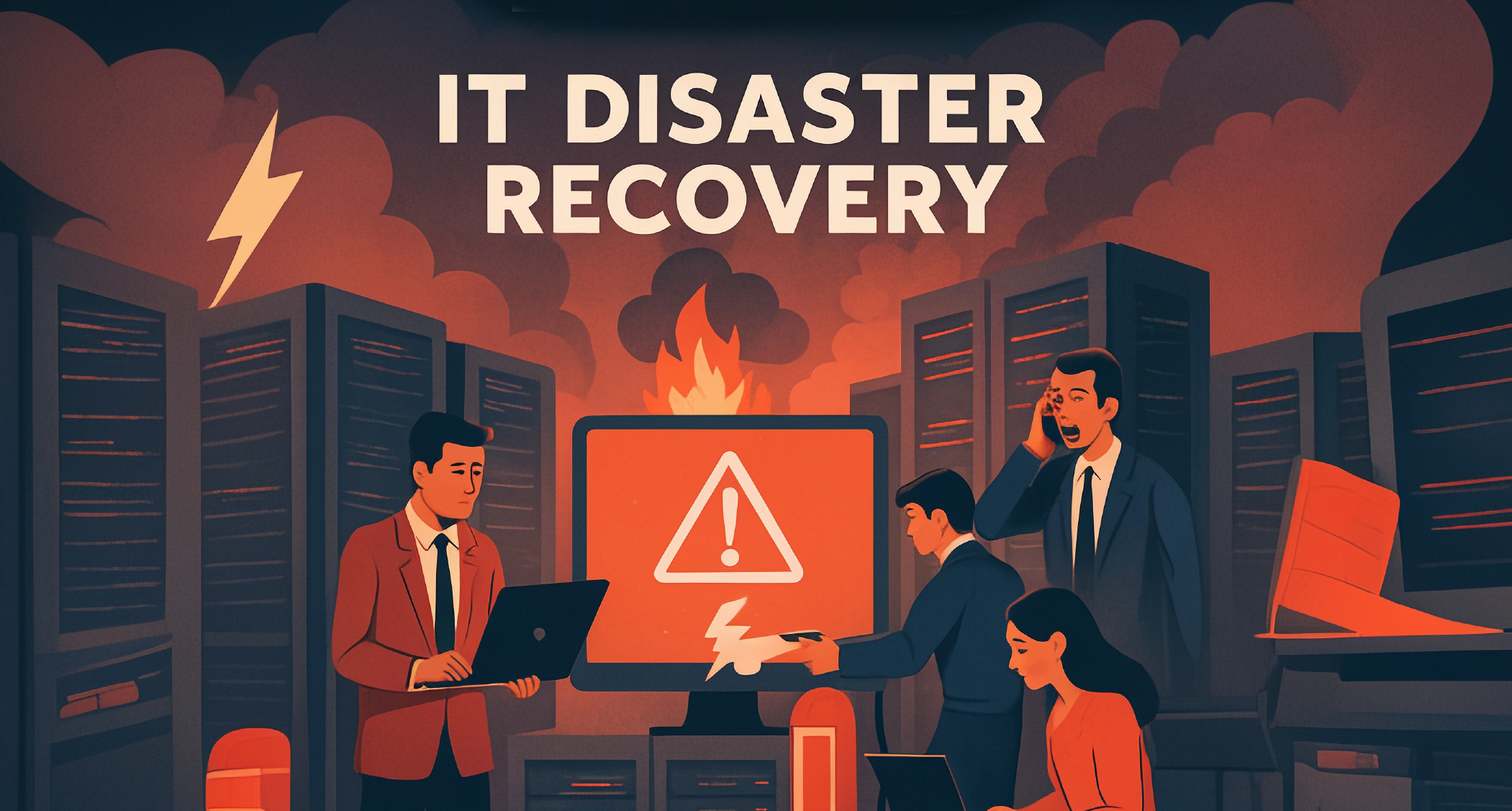
Colocation vs. On-Prem: What’s Best for Your IT Strategy?

Deciding between colocation and on-premises solutions is a critical choice for any Chief Information Officer (CIO) or Chief Technology Officer (CTO) in the manufacturing sector. Each solution offers unique advantages and considerations, but the right decision depends on the specific IT requirements of your organization. This guide explores the pros and cons of these strategies, with a focus on data center colocation, to help your business scale effectively and securely.

Understanding the Basics

What is Data Center Colocation?

Colocation involves renting physical space in a third-party data center to house your servers and other IT equipment. You retain ownership and control of your hardware while benefiting from the provider’s infrastructure, including power, cooling, security, and connectivity.

This option is ideal for businesses aiming to reduce operational burdens without compromising on performance, security, or compliance requirements. Colocation also provides scalability, allowing companies to expand their digital footprint without the need for additional real estate or infrastructure.

What is an On-Premises Solution?

On-premises hosting refers to managing your servers and IT infrastructure within your own facilities. This gives your organization total control over its environment but comes with significant overhead costs, maintenance responsibilities, and limited scalability.

Benefits of Data Center Colocation

For mid-sized manufacturing businesses, colocation offers a compelling alternative to on-prem solutions. Here’s how it stands out:

1. Cost Efficiency Without Compromising Quality

Building and maintaining an in-house data center is expensive. From real estate and utility costs to IT staff salaries, expenses can quickly add up. Colocation, on the other hand, spreads these costs across multiple tenants while still delivering access to state-of-the-art facilities and infrastructure.

Example: A colocation provider’s cooling systems and energy-efficient operations significantly reduce electricity expenses compared to an enterprise-specific server room.

2. Enhanced Security

Data center colocation offers advanced physical and digital security measures, such as:

  • 24/7 surveillance and monitoring
  • Biometric access control
  • Multilayer fire suppression systems
  • Compliance with industry standards like ISO 27001 and PCI DSS

For manufacturers managing sensitive customer data or intellectual property, this level of security ensures operational integrity and regulatory adherence.

3. Scalability for Growth

Colocation facilities are designed to adapt to your business’s evolving needs. Whether you need to add more rack space or scale your bandwidth, colocation providers make it simpler and faster than expanding on-prem facilities.

Example: If your manufacturing output grows 20% within a year, colocation allows you to rapidly scale your IT resources without major capital investments.

4. Improved Uptime and Reliability

With redundant power supplies, backup generators, and uninterrupted network access, colocation facilities offer nearly 100% uptime. Unlike on-prem solutions, which are prone to outages due to equipment failures or environmental conditions, colocation minimizes disruptions and ensures business continuity.

5. Expert Support and Maintenance

Colocation providers often offer managed services like remote hands support, infrastructure monitoring, and maintenance. This eliminates the need for a large IT team on-site, allowing your in-house staff to focus on strategic initiatives rather than troubleshooting hardware issues.

6. Geographic Flexibility

Manufacturing businesses relying on real-time data transmission can benefit from colocation facilities located in strategic regions, enabling low-latency communication and enhanced connectivity.

7. Environmental Sustainability

Many colocation providers prioritize eco-friendly practices, including renewable energy sources and energy-efficient cooling systems. This support aligns with corporate sustainability goals while minimizing operational carbon footprints.

Drawbacks to Consider with Colocation

While colocation boasts numerous advantages, it is important to consider the limitations:

1. Initial Setup Costs

Migrating hardware to a colocation facility requires upfront investments in transportation and installation. For manufacturers with older or highly specialized hardware, compatibility issues may necessitate additional upgrades.

2. Long-Term Contracts

Colocation often involves long-term contracts. Organizations must carefully assess future IT needs to avoid being locked into arrangements that may limit flexibility.

3. Reduced Hands-On Control

Unlike on-prem solutions, colocation requires remote hardware management. While providers offer efficient tools and support, some companies may prefer direct, on-site access to their servers.

Benefits of On-Premises Solutions

Although colocation offers extensive scalability and cost advantages, maintaining an on-prem IT infrastructure has its own merits:

1. Complete Control

On-prem allows businesses full oversight and management of their IT environment. This may be especially critical for manufacturers with proprietary technologies or stringent compliance requirements.

2. Custom Environments

With on-prem hosting, organizations can fully customize hardware, software, and security measures to align with specialized production schedules or industry regulations.

3. Latency-Free Performance

Without external dependencies, on-prem infrastructure can deliver quicker response times due to reduced latency.

Limitations of On-Prem Hosting

However, managing IT infrastructure in-house comes with its own set of challenges:

1. High Operational Costs

Building, staffing, and maintaining an on-prem data center requires significant upfront and ongoing investments.

Example: A dedicated IT team for a 24/7 operation incurs higher overhead compared to sharing the costs in a colocation model.

2. Scalability Challenges

Scaling an on-prem data center requires costly expansions to meet growing demand. This introduces delays and logistical complications, inhibiting agility.

3. Limited Resiliency

An on-prem facility is vulnerable to local disruptions like power outages, flooding, or fires. Recovery options are often less robust than those in enterprise-grade colocation centers.

Hybrid Models as a Viable Alternative

For many manufacturers, a hybrid approach leveraging both colocation and on-premises solutions provides the best of both worlds. By outsourcing core functions to a colocation facility while retaining critical applications and sensitive data on-prem, businesses can optimize costs, performance, and security.

Example: A mid-sized manufacturer could utilize colocation for disaster recovery and backups while maintaining production data on-prem for latency-sensitive processes.

Key Considerations When Choosing Colocation

To determine if colocation aligns with your IT strategy, evaluate the following:

  • Compliance Needs: Does the provider support certifications pertinent to your industry (e.g., ISO 9001, PCI DSS)?
  • Scalability Options: Can the facility accommodate future growth with minimal disruption?
  • Proximity: Is the data center located near your primary operations for low-latency access?
  • Uptime Statistics: Does the provider offer a Service Level Agreement (SLA) guaranteeing near-100% uptime?

Actionable Next Steps for CIOs and CTOs

  1. Conduct a detailed cost analysis comparing colocation, on-premises, and hybrid options.
  2. Assess the scalability of your current IT infrastructure against future business goals.
  3. Shortlist colocation providers with proven reliability and industry-specific expertise.
  4. Engage IT leadership to prioritize security and compliance in vendor selections.

Make an Informed Decision for Your IT Strategy

Colocation offers mid-sized manufacturers a powerful solution to streamline operations, reduce costs, and enhance infrastructure scalability. By understanding its pros and cons in comparison to on-prem hosting, business leaders can confidently choose the best approach for their unique needs.

Whether you opt for colocation, on-prem, or a hybrid model, your IT strategy should prioritize scalability, security, and operational resilience to keep pace with manufacturing demands in a rapidly changing digital economy.


Schedule a call today with one of our team members to discuss your Managed IT services needs with Megawire – For more details, Click Here.


This blog is not meant to provide specific advice or opinions regarding the topic(s) discussed above. Should you have a question about your specific situation, please discuss it with your Megawire IT advisor.

Megawire is a full-service Managed IT services provider. We primarily service all of Ontario and the rest of Canada, the US, and Australia virtually. Our team provides IT infrastructure assessments, network security audits, cloud computing solutions, and IT support for businesses of all sizes and industries.

If you would like to schedule a call to discuss your Managed IT services with one of our team members, please complete the free no-obligation meeting request. – For more details, Click Here.

Data Centre Colocation – Why More Companies Are Making the Switch

As IT infrastructure demands continue to grow, organizations are hunting for reliable and scalable solutions that won’t stretch budgets or compromise performance. Enter data centre colocation, a flexible, cost-effective alternative to on-premise solutions that is increasingly becoming a preferred choice for businesses.

This blog will unpack why companies are turning to colocation, how it works, and the exceptional benefits it brings to key business functions, such as uptime, security, and scalability.

Whether you’re managing a growing IT infrastructure or exploring alternatives to cloud services, colocation offers a middle ground between full-cloud setups and completely in-house operations.

What is Data Centre Colocation?

At its core, data centre colocation allows businesses to place their servers and networking equipment in a third-party facility designed for optimal performance, security, and scalability.

Rather than investing in costly in-house infrastructure, colocation enables businesses to retain control of their hardware and software while relying on a third-party provider to deliver:

  • Physical space (e.g., racks or dedicated suites)
  • Power redundancy
  • Advanced cooling systems
  • Comprehensive security measures
  • High-speed internet connectivity

This model ensures businesses can focus on their core operations without worrying about the environmental or hardware challenges of running servers. Think of it as renting premium real estate for your IT equipment, with round-the-clock amenities and support built in.

Why Are More Businesses Choosing Colocation?

From IT infrastructure managers to C-suite stakeholders, organizations are gravitating toward colocation to solve key challenges in today’s hyper-digital world. Below, we explore the primary drivers behind this shift.

  1. Ensured Uptime and Reliability

Downtime can be devastating for any business. Research reveals the average cost of downtime sits at $5,600 per minute, though this number can range depending on the business size and industry. With service level agreements (SLAs) ensuring up to 99.999% uptime, many colocation facilities deliver the operational resilience businesses need.

Key features include:

  • Redundant power systems: Backup generators, uninterruptible power supplies (UPS), and multi-grid power sources.
  • Network failovers: Facilities often partner with several Tier 1 internet providers to ensure seamless connectivity.
  • Disaster readiness: Many data centres are located in disaster-resilient areas and feature systems designed to survive floods and earthquakes.
  1. Enhanced Security

With rising cybersecurity threats and heightened concerns over sensitive data, businesses are under mounting pressure to safeguard their infrastructure. Colocation data centers prioritize both physical and digital security, offering:

  • 24/7 surveillance, including cameras and on-site security personnel.
  • Multi-factor authentication for facility access (e.g., biometric and RFID-based).
  • Advanced fire suppression systems to prevent hardware damage.
  • DDoS protection and intrusion detection mechanisms.

These layered security measures often go beyond what most organizations can implement in-house, ensuring that critical hardware is housed in a protected environment.

  1. Scalable IT Solutions

Business growth often requires rapid scaling of IT infrastructure. With colocation, adding capacity is as easy as renting additional space, power, or bandwidth. For organizations with fluctuating and unpredictable workloads, this flexibility offers a major advantage over the up-front costs of expanding on-premise facilities.

Whether scaling up or down, colocation eliminates the need for significant capital expenditure (CapEx), enabling businesses to adopt an operating expense (OpEx) model.

  1. Cost Efficiency

Building and operating a private data center is an expensive undertaking, often requiring millions in up-front investment and ongoing operational costs, like cooling, energy, and maintenance. Colocation dramatically reduces these expenses by allowing businesses to share the costs of a state-of-the-art facility.

Organizations benefit from:

  • Economies of scale for electricity, connectivity, and cooling.
  • Reduced need for on-site IT staff, as colocation providers often offer remote hands support.
  • Predictable monthly bills for easier budgeting.
  1. Hybrid Cloud Support

For businesses unsure whether to go full cloud or on-premises, colocation serves as a bridge to hybrid configurations. Many providers offer direct connections to leading cloud platforms such as AWS, Microsoft Azure, and Google Cloud, enabling businesses to move workloads to the cloud seamlessly without sacrificing performance or security.

This dual approach ensures businesses can use cloud services for some workflows while maintaining full control of their critical hardware.

  1. Compliance and Regulation Adherence

For IT managers tasked with meeting stringent compliance requirements (e.g., HIPAA, PCI DSS, or GDPR), colocation centers are often built with these mandates in mind. Providers commonly offer certifications ensuring the infrastructure adheres to the highest international standards. This leaves businesses less exposed to audits and regulatory penalties.

How Does Colocation Work?

Understanding the mechanics of colocation is crucial for evaluating its suitability for your business needs. Here’s how the process typically works:

  1. Leasing Space: Businesses lease racks, cages, or entire suites depending on their requirements.
  2. Hardware Installation: Organizations provide and install their servers, storage devices, and networking equipment in the leased space.
  3. Continuous Maintenance: Businesses are responsible for managing their hardware remotely, but colocation providers offer on-site support for basic tasks (e.g., hardware replacements, cable swaps).
  4. Infrastructure Management: The colocation provider maintains power, cooling, connectivity, and physical security, ensuring optimal performance.

By separating infrastructure responsibilities, colocation lightens operational burdens while keeping organizations in control of their software and IT environment.

Key Features of Colocation Facilities

When evaluating potential providers, look for these features to understand the quality and reliability of their services:

  • Redundancy: Dual power sources, backup utilities, and redundant network connections.
  • Cooling and Environmental Control: Advanced systems like hot-aisle/cold-aisle containment to maintain optimal temperatures.
  • Proximity: Facilities near major urban centers for better connectivity.
  • Security Measures: Biometric locks, surveillance systems, and limited access zones.
  • Carrier Neutrality: Access to multiple carriers allows for flexibility and competitive pricing.
  • Customer Support: On-site IT experts available 24/7 for remote troubleshooting.

Making the Business Case for Colocation

Migrating to colocation isn’t merely a cost-cutting strategy; it’s a step toward creating a better-aligned IT infrastructure.

Who benefits the most?

  • Growing companies needing to expand without committing to in-house data centers.
  • E-commerce businesses, where uptime reliability is a must for sales operations.
  • Heavily regulated industries such as finance, healthcare, and law, requiring high security and compliance.

By adopting colocation, organizations can future-proof their IT operations, reduce risk, and better serve their customers.

Thinking Ahead with Data Centre Colocation

Switching to colocation isn’t just about saving money or improving security; it’s a forward-looking strategy that prepares your IT architecture for growth, innovation, and resilience.

If you’re considering making the switch, start by evaluating your organization’s specific needs. Secure uptime? Reduce CapEx? Improve disaster recovery? Whatever your goals, colocation offers a strategic middle ground between the constraints of on-premise operations and the flexibility of the cloud.

Looking to explore how colocation can work for your organization? Consult industry experts or request a facility tour to ensure the provider aligns with your expectations.


Schedule a call today with one of our team members to discuss your Managed IT services needs with Megawire – For more details, Click Here.


This blog is not meant to provide specific advice or opinions regarding the topic(s) discussed above. Should you have a question about your specific situation, please discuss it with your Megawire IT advisor.

Megawire is a full-service Managed IT services provider. We primarily service all of Ontario and the rest of Canada, the US, and Australia virtually. Our team provides IT infrastructure assessments, network security audits, cloud computing solutions, and IT support for businesses of all sizes and industries.

If you would like to schedule a call to discuss your Managed IT services with one of our team members, please complete the free no-obligation meeting request. – For more details, Click Here.

GET IN TOUCH

CONTACT US

End-To-End Private Cloud & Infrastructure As A Service


For inquiries, please leave us your details.