Our Posts

Secure Your Growth: Scalable Data Storage Built for Tomorrow

The manufacturing landscape is rapidly advancing, and with it comes an explosion of data. From production data and supply chain analytics to customer records, mid-sized manufacturers are now managing an unprecedented volume of information. How you store, access, and protect that data can directly influence your ability to innovate and compete in this evolving market.

This blog will explore why scalable, secure data storage is fundamental for manufacturers aiming to expand operations and leverage innovation. Learn the benefits, strategies, and best practices for optimizing data storage solutions to future-proof your business.

Why Scalable Data Storage Matters for Manufacturers

Manufacturers operate in a world of constant change, where efficiency and agility can mean the difference between success and irrelevance. Data storage is the backbone of modern operations, enabling swift decision-making, process optimization, and data-driven innovation.

For mid-sized manufacturers, scalable data storage ensures the flexibility to grow without disruption. Secure systems not only protect intellectual property, customer data, and sensitive supply chain details but also provide resilience against cyber threats and downtime.

The Rise of Data-Driven Manufacturing

Technologies such as IoT (Internet of Things), AI, and automation are generating terabytes of data at every touchpoint. A scalable approach to data storage allows manufacturers to handle this influx effectively while using the data for predictive maintenance, inventory forecasting, and operational efficiencies.

Why You Can’t Afford to Ignore Data Security

Cyberattacks such as ransomware can cause devastating operational downtime and financial losses. A robust, secure data storage solution is non-negotiable to protect sensitive manufacturing blueprints, client details, and proprietary workflows.

The Benefits of Scalable, Secure Data Storage

The importance of advanced data storage goes beyond just space or storage capacity. It’s about enabling manufacturers to remain efficient, innovative, and competitive while minimizing risks.

1. Simplified Scalability

With the right storage architecture, you can seamlessly expand your storage capacity as your business grows. No more complicated hardware purchases or risky system overhauls. Scalable cloud-based or hybrid storage solutions eliminate physical limitations, letting you focus on core business strategies.

2. Data Accessibility and Collaboration

Gone are the days when critical data was siloed in on-site servers. Scalable storage solutions allow secure access to data from any location, boosting collaboration across teams, facilities, and even international borders. This accessibility ensures faster decision-making and a more agile production model.

3. Enhanced Operational Resilience

Disaster recovery plans embedded within secure storage systems minimize downtime in the event of a breach, power failure, or natural disaster. Leading storage providers offer automated backups, data replication, and real-time recovery tools to ensure business continuity.

4. Cost Efficiency

Pay-as-you-go storage models often associated with cloud solutions reduce the need for massive upfront investments in physical infrastructure. They also allow you to align storage costs with actual usage, avoiding unnecessary overhead expenses.

5. Data-Driven Innovation

Secure storage actively enables the leveraging of advanced analytics, AI, and machine learning capabilities. By tapping into your scalable data reserves, you can identify trends, optimize processes, and even predict future industry shifts before your competitors.

Implementing Secure and Scalable Storage Solutions

To remain in control of exponential data growth while safeguarding your organization, choosing the right storage architecture is critical. Here’s how to get started.

1. Assess Your Current Infrastructure

Evaluate your existing storage systems to identify bottlenecks, inefficiencies, and areas for improvement. Questions to ask include:

  • Is your current system capable of handling growth over the next five years?
  • Do you have a disaster recovery plan in place?
  • Is sensitive data adequately encrypted and secured?

2. Consider a Cloud-Based or Hybrid Approach

Cloud storage offers on-demand scalability ideal for manufacturers with fluctuating data needs. For businesses that require higher levels of control or compliance, a hybrid solution combining cloud and on-site servers may be the best option.

Example: A hybrid model might store sensitive design blueprints locally while saving non-critical inventory data to the cloud.

3. Invest in Encryption and Cybersecurity

Today’s manufacturers are increasingly targeted by cybercriminals. Your data storage solution must include robust encryption protocols, multi-factor authentication (MFA), and continuous monitoring to safeguard against threats. Ensure your storage provider meets industry standards such as ISO/IEC 27001.

4. Implement Intelligent Automation

Leverage machine learning and AI-driven tools to automate data management processes. These systems can predict storage needs, optimize performance, and even alert you to unusual patterns that could signal security risks.

5. Adopt a Tiered Architecture

Not all data needs equal levels of performance or accessibility. Tiered storage categorizes data based on its priority, ensuring crucial data is stored on high-performance systems while less critical information is archived in cost-effective, long-term solutions.

6. Design a Comprehensive Backup Strategy

Follow the 3-2-1 rule for data redundancy:

  • Maintain 3 copies of your data.
  • Store it on 2 different media.
  • Keep 1 copy off-site or in the cloud.

Automated, incremental backups reduce manual effort and ensure your valuable intellectual property is never lost.

The Future of Data Storage for Manufacturers

Emerging technologies such as edge computing, AI-enhanced storage, and quantum computing are set to revolutionize how manufacturing companies handle data. These advancements promise even greater scalability, speed, and accountability.

Edge Computing

Edge computing ensures that data processing happens closer to the source, reducing latency and improving efficiency for time-critical operations.

Example: Sensors on factory equipment can analyze performance metrics in real-time, triggering maintenance alerts before failures occur.

AI-Enhanced Storage Solutions

AI offers predictive analytics to help manufacturers anticipate future needs, optimize storage usage, and identify inefficiencies. Self-healing systems will soon become standard, proactively resolving storage issues without human intervention.

Compliance-First Architectures

Regulations like GDPR and CCPA demand strict data compliance. Future solutions will embed compliance measures directly into the storage architecture, ensuring companies meet all legal obligations effortlessly.

Moving Forward

Scalable, secure data storage isn’t just about managing current needs; it’s about future-proofing your enterprise. By adopting the right systems and strategies today, mid-sized manufacturers can position themselves for sustainable growth and innovation.

To make this transition seamless, partner with a proven leader in scalable storage solutions. Contact us today to discuss how our services can support your organization’s data goals and keep you ahead of the competition.


Schedule a call today with one of our team members to discuss your Managed IT services needs with Megawire – For more details, Click Here.


This blog is not meant to provide specific advice or opinions regarding the topic(s) discussed above. Should you have a question about your specific situation, please discuss it with your Megawire IT advisor.

Megawire is a full-service Managed IT services provider. We primarily service all of Ontario and the rest of Canada, the US, and Australia virtually. Our team provides IT infrastructure assessments, network security audits, cloud computing solutions, and IT support for businesses of all sizes and industries.

If you would like to schedule a call to discuss your Managed IT services with one of our team members, please complete the free no-obligation meeting request. – For more details, Click Here.


How to Choose the Right Data Storage Solution for Your Business

A reliable data storage solution is crucial for the smooth operation of any business. For plant IT managers, selecting the right storage system can directly impact efficiency, scalability, and security in an increasingly data-driven world. But with options like SAN (Storage Area Network), NAS (Network Attached Storage), and cloud solutions, which is the best fit for your business needs?

This guide dives into the key comparison points of speed, scalability, and security for SAN, NAS, and cloud storage solutions. By the end, you’ll have a clear understanding of which option aligns with your organization’s requirements.

Understanding the Basics of Data Storage Solutions

Before we compare, let’s clarify what SAN, NAS, and cloud solutions mean for data storage.

SAN (Storage Area Network)

SAN is a high-speed network of interconnected storage devices that provides block-level data access. It uses Fibre Channel or iSCSI protocols to deliver low latency and high performance. SANs are often deployed in environments requiring extensive scalability, such as enterprise databases or high-transaction applications.

NAS (Network Attached Storage)

NAS is a file-level storage solution connected via Ethernet. It acts as a centralized repository where data is shared across a local area network (LAN), making it ideal for storing and sharing files among multiple users.

Cloud Storage

Cloud storage allows businesses to store data on remote servers managed by third-party providers, accessible via the internet. It provides scalable resources and on-demand storage with flexible pay-as-you-go plans.

Comparing SAN, NAS, and Cloud Solutions

When determining the best storage option for your business, consider three critical factors: speed, security, and scalability.

1. Speed

SAN

SAN outperforms other storage solutions when it comes to speed, offering low-latency data transmission. By isolating storage from the rest of the network traffic, SAN can handle high-bandwidth transactions in real-time. For example, industries like video production and e-commerce reap the benefits of seamless, high-speed data transfer with SAN.

NAS

NAS relies on a shared Ethernet network, which makes it less capable of delivering ultra-fast speeds, especially during peak usage. For file sharing and data collaboration within teams, however, NAS provides sufficient performance for many small-to-mid-sized businesses.

Cloud Storage

Cloud storage speeds depend on the strength of the internet connection. For businesses operating in areas with unreliable or low bandwidth, cloud solutions may introduce delays, particularly when dealing with large files or real-time data processing.

Winner for Speed: SAN

2. Security

SAN

SAN is isolated from the LAN, which makes it inherently more secure. By separating storage from general networking, SAN reduces exposure to threats. Additionally, it supports robust encryption, built-in redundancy, and advanced access control mechanisms, making it highly reliable for sensitive enterprise applications.

NAS

NAS devices support basic encryption and access control, but being part of the local network makes them more vulnerable to cyber-attacks. For businesses managing moderately sensitive data, NAS provides adequate security but may not meet stringent compliance requirements (e.g., GDPR or HIPAA).

Cloud Storage

Cloud providers often employ state-of-the-art security measures, including automated backups, data redundancy, and encryption. However, relying on a third-party provider adds an element of risk, especially if the provider lacks transparent compliance with data protection laws.

Winner for Security: SAN (for its isolated environment)

3. Scalability

SAN

SAN excels in vertical scalability. Enterprises can add more storage devices to meet growing demands without affecting performance, making SAN a robust option for long-term business growth.

NAS

NAS is affordably scalable for small-to-mid-sized organizations. Most NAS systems allow adding new enclosures to expand storage, but as complexity increases, performance can decline.

Cloud Storage

Cloud storage offers unmatched scalability. By leveraging on-demand storage resources, businesses can instantly increase or decrease their storage capacity, paying only for what they use. Growing organizations with fluctuating storage needs benefit most from this flexibility.

Winner for Scalability: Cloud Storage

Choosing Based on Business Needs

When to Choose SAN

  • Applications with High Performance Demands: Enterprise databases, virtualization, and ecommerce applications requiring high throughput and minimal latency.
  • Mission-Critical Data: When data security and guaranteed availability are vital. For example, manufacturing environments processing real-time operational data benefit greatly from SAN.

When to Choose NAS

  • File Sharing and Collaboration: NAS is an affordable solution for businesses looking to consolidate file storage across teams.
  • Volume of Unstructured Data: Storing and managing files like documents, videos, and IoT-based data.

When to Choose Cloud Storage

  • Scalability Is Key: Ideal for businesses with dynamic storage needs.
  • Remote Access Capabilities: Cloud is vital for frequently accessed data from multiple, distributed locations.
  • Budget-Conscious Startups: Lower upfront costs and pay-as-you-go pricing are appealing to startups and small enterprises.

Integrating Hybrid Solutions

Some businesses adopt hybrid solutions, combining the benefits of on-premise SAN or NAS with cloud storage. A common scenario is using NAS or SAN for local, high-priority storage while leveraging cloud storage for backups, disaster recovery, or archiving.

Hybrid setups allow businesses to strike a balance between performance, cost, and scalability, providing tailored solutions to meet specific operational goals.

Best Practices for Implementation

Regardless of the storage system you choose, following these practices can enhance your implementation process:

  • Align with IT Goals: Ensure the storage solution serves current and future business objectives.
  • Test for Compatibility: Conduct a compatibility check with existing hardware and systems.
  • Monitor and Optimize Use: Use analytics to monitor storage performance, capacity, and security over time.
  • Work with Trusted Vendors: Engage reputable storage providers to ensure continuous support and compliance.

Closing Thoughts on Data Storage

Each data storage solution has its own strengths and best use cases. SAN provides speed and security for demanding applications, NAS offers reliable file storage and sharing, and cloud storage delivers unmatched scalability at a lower upfront cost. By understanding the unique capabilities of each, plant IT managers can make informed choices that future-proof their operations.

Need personalized guidance to select the right solution for your plant? Contact one of our specialists today.


Schedule a call today with one of our team members to discuss your Managed IT services needs with Megawire – For more details, Click Here.


This blog is not meant to provide specific advice or opinions regarding the topic(s) discussed above. Should you have a question about your specific situation, please discuss it with your Megawire IT advisor.

Megawire is a full-service Managed IT services provider. We primarily service all of Ontario and the rest of Canada, the US, and Australia virtually. Our team provides IT infrastructure assessments, network security audits, cloud computing solutions, and IT support for businesses of all sizes and industries.

If you would like to schedule a call to discuss your Managed IT services with one of our team members, please complete the free no-obligation meeting request. – For more details, Click Here.

The Hidden Savings of Real-Time Network Monitoring

Efficient IT operations are the backbone of modern enterprises. Yet, as organizations grow and their infrastructures scale, maintaining consistent performance and security becomes increasingly challenging. Real-time network monitoring has emerged as a vital tool for IT infrastructure management, offering a wide array of tangible and hidden cost-saving benefits.

This blog explores how real-time network monitoring not only enhances security and operational efficiency but also drives significant financial savings for data centers and IT teams. From identifying potential threats to optimizing performance, we’ll uncover the key reasons why this proactive approach is indispensable.

What Is Real-Time Network Monitoring?

Real-time network monitoring refers to the continuous tracking, analysis, and reporting of network data as it flows across an organization’s infrastructure. Unlike periodic checks or reactive monitoring, real-time solutions provide immediate insights into network performance, anomalies, and vulnerabilities.

At its core, it offers IT teams the ability to:

  • Detect and mitigate security breaches as they occur.
  • Ensure uptime through the identification of performance bottlenecks.
  • Gain proactive, actionable insights through continuous data collection.

By integrating advanced tools, such as AI-driven systems, network monitoring platforms can deliver unparalleled visibility into the organization’s IT health, resulting in both operational and financial benefits.

Why Real-Time Network Monitoring Matters

  1. Proactive Threat Detection and Mitigation

According to the 2024 Elastic Global Threat Report, adversaries continue to exploit gaps in outdated or insufficient security measures. Network monitoring solutions leverage real-time data collection to flag unusual activity such as unauthorized access, malware presence, or data breaches.

Hidden Savings:

  • Reduce potential security incident response costs by 40-60%.
  • Prevent regulatory fines associated with non-compliance by identifying vulnerabilities before they lead to data breaches.
  1. Minimized Downtime

Downtime in any enterprise network can lead to significant productivity losses and reputational damage. Real-time monitoring enables system administrators to detect early signs of network instability, such as high latency, packet loss, or device malfunction.

Example Scenario: A sudden spike in server CPU usage could signal an impending issue. With real-time notifications, IT teams can address the root cause before it affects end-users.

Hidden Savings:

  • Avoid revenue loss from downtime, which Gartner estimates costs businesses an average of $5,600 per minute.
  • Improve productivity by reducing interruptions in daily operations.
  1. Optimized Resource Allocation

Network monitoring not only identifies inefficiencies but also highlights underutilized resources. For instance, underused servers, redundant applications, or excessive bandwidth usage can be quickly pinpointed and addressed.

Hidden Savings:

  • Eliminate overspending on unnecessary hardware or services.
  • Reallocate bandwidth and compute resources effectively, reducing infrastructure costs.
  1. Enhanced Decision-Making Through Data Analytics

Real-time monitoring provides IT teams with actionable insights into network usage patterns, peak traffic times, and user behaviors. By aggregating and analyzing this data, businesses can optimize network capacity planning and improve system architecture.

Hidden Savings:

  • Make data-driven investment decisions, avoiding over-purchasing capacity or underestimating future needs.
  • Anticipate network scalability requirements, minimizing costly last-minute upgrades.

How to Implement Real-Time Network Monitoring

The complexity of integrating a network monitoring solution depends on your existing infrastructure and business requirements. Here are six key steps to ensure a successful implementation:

  1. Define Your Monitoring Goals

What do you want to achieve with network monitoring? From improving security to reducing operational costs, identifying your core objectives will guide the selection process.

  1. Select the Right Tools

Choose solutions capable of delivering granular insights into your network. For enterprises requiring comprehensive coverage, platforms such as SolarWinds, Nagios, or Elastic offer robust real-time capabilities. Look for tools that are scalable and align with your budget.

  1. Integrate Automation

Today’s advanced network monitoring platforms leverage automation and AI to reduce manual oversight. Automated systems can handle tasks like anomaly detection, alert generation, and even basic troubleshooting.

  1. Perform a Network Baseline Assessment

Before monitoring begins, establish a baseline of normal network performance. Understanding what constitutes “normal” traffic flow will help you identify deviations that may indicate security threats or performance issues.

  1. Set Up Alerts and Reporting

Configure custom alerts to notify teams of specific events, such as bandwidth spikes, device failures, or unusual log-in attempts. Clear reporting facilitates quicker resolution and adds an extra layer of accountability.

  1. Conduct Regular Audits

Even the most advanced systems require maintenance. Periodically assess your monitoring solution’s performance and adapt it based on evolving business requirements or emerging technologies.

The Financial Impact of Network Monitoring

While the upfront investment for real-time monitoring tools may seem daunting, the long-term financial savings are significant. Consider the following ROI drivers:

  1. Reduced Security Remediation Costs

Organizations leveraging proactive monitoring typically save $2 million annually by addressing threats early before they escalate into breaches.

  1. Operational Efficiency Improvements

Avoiding outages or lagging systems could translate into savings of $300K–$500K per year, depending on organizational size.

  1. Hardware Cost Reductions

By identifying underutilized resources, many businesses save between 10-15% of their annual IT budget.

  1. Compliance Avoidance Fees

Non-compliance fines for security breaches can run into the millions. Implementing monitoring ensures that policies are followed, avoiding legal headaches.

Real-World Example: Monitoring in Action

A global e-commerce platform reported a 32% reduction in system downtime after deploying continuous network monitoring. The IT department identified and resolved over 25 instances of unusual traffic spikes that could have compromised both performance and user data. Additionally, by optimizing existing servers, the company postponed $1.2 million in hardware investments.

Network Monitoring in 2024 and Beyond

The need for real-time network monitoring will only grow as IT environments become more complex. Hybrid and multi-cloud infrastructure, IoT devices, and remote work setups have expanded the attack surface, making visibility crucial. Gartner predicts that by 2027, 75% of network monitoring tools will utilize AI-enabled automation, significantly enhancing their efficiency and capabilities.

Companies that invest in these solutions early position themselves for long-term competitive advantages by reducing costs and improving the resilience of their IT infrastructure.

Take the Next Step in Optimizing Network Performance

Real-time network monitoring is more than a technical upgrade; it’s a strategic investment delivering financial, operational, and security advantages. Whether you’re safeguarding sensitive customer data or streamlining resource utilization, continuous monitoring keeps your business ahead of the curve.

Interested in implementing real-time monitoring in your organization? Explore tools like [Elastic, SolarWinds, or Splunk], or reach out to an IT consultant for tailored recommendations. Start small, monitor results, and scale as your network grows. The savings and operational improvements will speak for themselves.


Schedule a call today with one of our team members to discuss your Managed IT services needs with Megawire – For more details, Click Here.


This blog is not meant to provide specific advice or opinions regarding the topic(s) discussed above. Should you have a question about your specific situation, please discuss it with your Megawire IT advisor.

Megawire is a full-service Managed IT services provider. We primarily service all of Ontario and the rest of Canada, the US, and Australia virtually. Our team provides IT infrastructure assessments, network security audits, cloud computing solutions, and IT support for businesses of all sizes and industries.

If you would like to schedule a call to discuss your Managed IT services with one of our team members, please complete the free no-obligation meeting request. – For more details, Click Here.

24/7 Network Monitoring: Ensuring Uptime and Maximizing ROI

For mid-sized manufacturers, the stakes of network performance are high. A single disruption can lead to costly production delays, strained client relationships, and decreased operational efficiency. Network monitoring, particularly a 24/7 proactive approach, is no longer an option but a necessity for maintaining uptime and unlocking the full potential of your IT investments.

This article explores the benefits of 24/7 network monitoring for manufacturing organizations and dives into actionable insights on how it can improve ROI, maintain uptime, and support IT performance.

What Is Network Monitoring and Why Does It Matter?

Network monitoring is the practice of continuously observing your IT infrastructure to ensure systems, applications, and connections run without interruption. It involves evaluating performance metrics such as bandwidth, uptime, data packet loss, and identifying potential vulnerabilities or bottlenecks in real time.

Why 24/7 Monitoring Matters for Manufacturers

Unlike reactive models that address problems after they occur, 24/7 monitoring adopts a proactive approach. For manufacturers operating around the clock, real-time insights provide the assurance that operations remain consistent and avoid critical disruptions. With data-driven monitoring, manufacturers gain total visibility into their systems, enabling swift detection of anomalies and preventing costly downtime.

Key Statistics that Highlight the Importance of Network Monitoring:

  • 67% of IT outages cost businesses more than $100,000, according to a Tailwind report.
  • 59% of multi-location companies face monthly network challenges, increasing the need for resilient monitoring mechanisms.

The ROI of 24/7 Network Monitoring

What does downtime cost your business?

Studies show that beyond immediate financial losses, network interruptions lead to secondary impacts such as diminished productivity, weakened customer trust, and compromised data security. By incorporating 24/7 network monitoring, organizations not only mitigate risks but also maximize long-term ROI in the following ways:

  1. Preventing Costly Downtime

Downtime causes a direct hit on productivity and profits. 24/7 monitoring ensures that anomalies such as server failures or slow connections are detected and resolved promptly, minimizing the revenue loss caused by halted operations.

  1. Optimizing IT Resources

Automated monitoring optimizes resource allocation by sequencing remediation tasks for IT teams while providing comprehensive data on system performance. IT staff spend less time firefighting and more time on strategic improvements.

  1. Reducing Compliance Risks

Manufacturers often face strict compliance requirements. With real-time monitoring, you can automate data collection for audits, ensuring compliance with regulatory standards while avoiding fines or penalties.

  1. Enhanced Customer Retention

Seamless operations improve customer confidence. Network monitoring allows timely troubleshooting and service reliability, directly translating into positive customer experiences and greater business loyalty.

  1. Predictive Maintenance

Monitoring tools powered by AI and predictive analytics identify performance trends or equipment failures before they become problematic. This significantly reduces maintenance costs over time.

The Key Features That Make 24/7 Network Monitoring Effective

To fully capitalize on network monitoring in your enterprise, understanding its core features is essential. Below are the foundational components that elevate network monitoring from a necessity into a competitive advantage:

1. Real-Time Data Collection

Modern monitoring platforms collect and analyze data in real time, offering a live view of your system’s health. For manufacturers reliant on seamless production schedules, this eliminates the lag between a network issue and someone noticing it.

2. Extensive Multi-Layer Visibility

Monitoring tools provide metrics about everything from backend server connections to machine-specific bandwidth usage. This visibility ensures no blind spots exist in your IT infrastructure, reducing the risk of undetected system vulnerabilities.

3. Customizable Alerts

With intelligent alert systems, monitoring platforms prioritize high-risk anomalies, so your IT team focuses on resolving critical incidents first rather than being overwhelmed by false alarms.

4. Integration with Existing Tools

Leading monitoring systems can seamlessly integrate with ERP solutions, customer management tools, and legacy systems to provide a unified view of your operations without disrupting current workflows.

5. AI-Driven Predictive Analytics

AI-based solutions analyze historical data to predict potential system failures or traffic surges. Predictive analysis allows for resource adjustments or preventive actions, saving costs associated with unexpected breakdowns.

Best Practices for Implementing 24/7 Network Monitoring

To realize the full benefits of continuous network monitoring for your manufacturing operation, optimizing implementation is key. Here’s how your business can prioritize effective network monitoring.

1. Identify and Monitor Crucial Infrastructure

Not all systems require the same level of oversight. Begin by prioritizing critical infrastructure. For example, monitor production-critical servers, supply chain networks, security protocols, and high-bandwidth connections to minimize bottlenecks.

2. Establish Performance Benchmarks

Before rolling out monitoring tools, establish benchmarks for what constitutes “healthy” network performance. Define key performance indicators (KPIs) such as uptime thresholds, data packet delivery, and acceptable latency ranges.

3. Leverage Automation and AI

Automation eliminates the risks associated with manual system scans. By deploying AI-powered tools, IT teams can focus on value-driven tasks while the system handles alerts, performance predictions, and trends independently.

4. Adopt Proactive Maintenance Programs

Continuous diagnostics enable proactive maintenance. Address software updates and hardware malfunctions based on insights generated by monitoring systems rather than waiting for failures to disrupt operations.

5. Partner with Reliable Providers

Scaling a monitoring system for enterprise-grade manufacturing requires the expertise of third-party providers who specialize in 24/7 network monitoring equipment and software.

Real-World Use Cases in Mid-Sized Manufacturing

The advantages of 24/7 network monitoring become apparent in real-world applications. Below are three examples of how manufacturing organizations benefit from continuous monitoring:

  1. Minimizing Assembly Line Disruptions

A mid-sized furniture manufacturer utilized 24/7 monitoring tools to detect internet bottlenecks caused by peak simultaneous logins by production staff. Addressing these bottlenecks led to smoother operations and prevented production delays.

  1. Preventing Supply Chain Breakdowns

A spare parts supplier leveraged network monitoring to ensure uninterrupted access to supplier databases, identifying weak network nodes that frequently slowed procurement timelines.

  1. Strengthening Compliance Readiness

A metal manufacturer adopted an automated monitoring system that flagged potential GDPR violations when customer data logs exceeded retention limits inadvertently. The business curtailed non-compliance without manual audits.

These success stories illustrate how network monitoring aligns IT resilience with operational goals in manufacturing environments.

Anticipating the Future of Network Monitoring

The landscape of network monitoring is evolving, largely fueled by advancements in IoT and edge computing. By integrating machine learning algorithms, businesses will gain even greater insight, leveraging data-driven decision-making while further reducing operational waste.

For manufacturers, emerging technologies such as self-healing systems and zero-touch remote monitoring architectures represent the next wave of innovation, promising unprecedented reliability and optimization.

Maximize Operational Efficiency with Continuous Monitoring

Investing in 24/7 network monitoring elevates your manufacturing enterprise by combining operational consistency with strategic foresight. From preventing downtime and securing compliance to delivering substantial ROI, monitoring tools are integral to maintaining agility in a competitive industry.

If you’re ready to future-proof your IT operations while empowering your production teams, it’s time to consider how robust monitoring fits into your existing IT frameworks.

Discover how your organization can scale its monitoring capabilities with expert consultation. Unlock unmatched reliability and ROI with our advanced network monitoring solutions.

Give us a call.


Schedule a call today with one of our team members to discuss your Managed IT services needs with Megawire – For more details, Click Here.


This blog is not meant to provide specific advice or opinions regarding the topic(s) discussed above. Should you have a question about your specific situation, please discuss it with your Megawire IT advisor.

Megawire is a full-service Managed IT services provider. We primarily service all of Ontario and the rest of Canada, the US, and Australia virtually. Our team provides IT infrastructure assessments, network security audits, cloud computing solutions, and IT support for businesses of all sizes and industries.

If you would like to schedule a call to discuss your Managed IT services with one of our team members, please complete the free no-obligation meeting request. – For more details, Click Here.

Avoid the Unexpected: How Backup Strategy Impacts Productivity

For IT managers working in manufacturing facilities, few things are more critical than ensuring the uninterrupted flow of operations. Servers and backups are the unsung heroes in maintaining uptime, shielding your organization from the consequences of unexpected disruptions. From hardware failures and cyberattacks to human errors and natural disasters, the risks are diverse and constant. What happens when backups fail, or worse, when a strategy is nonexistent? The impact on productivity can be catastrophic.

This article explores the pivotal role of a robust backup strategy in minimizing downtime and maximizing productivity. We’ll highlight real-world examples of backup failures, explain key best practices, and walk you through actionable solutions. By the end, you’ll understand why a well-thought-out backup plan is essential for safeguarding your operations.

The Fragile Nature of Productivity in Manufacturing

Manufacturing systems are heavily reliant on interconnected digital infrastructures such as ERP systems, customer order databases, and production process frameworks. A single failure in a system can ripple through your entire operation.

According to cybersecurity research, the average cost of downtime is approximately $9,000 per minute. Beyond the financial implications, operational downtime caused by inadequate backups can lead to delayed production deadlines, supplier disruptions, and reputational damage among clients.

Real-World Scenarios That Illustrate the Cost of Poor Backup Planning

To understand what can go wrong without a proper backup framework, consider these real-world incidents:

1. Ransomware Attack Bringing Operations to a Standstill

A midsized manufacturing company’s server became the target of a sophisticated ransomware attack. Hackers encrypted its ERP system, halting inventory, production schedules, and shipping orders. The organization’s recent backups were also compromised due to improper segmentation. Without viable data recovery options, rebuilding operations from an older backup copy took over two months, incurring significant losses in revenue and client trust.

Lesson: A segmented and air-gapped backup approach could have preserved data integrity and recovery speed, bypassing the hackers’ reach.

2. Data Center Destruction by Natural Disaster

A manufacturing facility housed its central database within a single location. When a local flood damaged the center’s hardware and storage disks, the facility lost not only immediate operations but years of archived data. Coming back online required external data center services, adding unexpected cost and delays.

Lesson: Geographically redundant backups ensure data integrity, even in the face of localized disasters.

3. Human Error Leading to Data Sabotage

Human error remains one of the leading causes of data breaches. A disgruntled employee injected malicious code into the company’s production database, corrupting several datasets. With backup copies overwritten by automated schedules, the company lacked historical versions and was forced to rebuild its records manually.

Lesson: Incorporating a system of incremental backups and retaining older versions ensures that historical, uncorrupted data is available for restoration.

How Backup Failures Impact Productivity

The examples above highlight the tangible consequences of absent or poorly implemented backup strategies:

  • Revenue Loss: Downtime severely impacts sales and cash flows during production disruptions.
  • Missed Deadlines: Failure to deliver on contractual timelines damages client relationships.
  • Reputational Damage: Prolonged recovery raises concerns about reliability among partners and customers.
  • Opportunity Cost: Time spent recovering from failures translates to lost opportunities for innovation and development.

The Foundation of an Effective Backup Strategy

A proactive approach minimizes the chances of failure. Here’s what a robust backup strategy involves:

1. Diversify Your Backup Infrastructure

  • Local Backups: Quick to access for minor disruptions.
  • Cloud Backups: Ideal for offsite redundancy and scalability.
  • Air-Gapped Backups: Providing maximum security from cyberattacks by keeping copies offline.

2. Institute Geo-Redundancy

Use backup servers situated in geographically distinct locations to safeguard against natural disasters or localized infrastructure mishaps. For example, use a cloud infrastructure that replicates data across multiple regions.

3. Automate Backup Processes

Reduce the risk of human error by automating backup schedules. However, ensure configurations are comprehensively tested for effectiveness.

4. Prioritize Testing

Regularly test backup systems under simulated scenarios, such as server crashes or accidental data deletions. Testing validates recovery times (RTO) and ensures that recovery points (RPO) are adequate for business continuity.

5. Utilize Incremental Backups

Instead of overwriting older backups, deploy systems that create incremental versions. This way, you can rollback to a safe archive point during data corruption or sabotage.

6. Ensure Data Encryption

Encrypt sensitive backup data to prevent exploitation during bi-directional server migration or cloud syncing.

Building Productivity Resilience with Servers and Backups

Your manufacturing facility operates within tight tolerances. To maintain efficiency, every system—from supply chain management to production operations—is interconnected. Enterprise resource plans (ERPs) and databases are particularly prone to disruptions in the absence of resilient backups.

By implementing the right practices, such as geo-redundancy, automated backups, and regular testing, IT managers can eliminate blind spots in disaster recovery planning. A failure-proof strategy fortifies both productivity and trust, ensuring the facility is prepared for unexpected events.

Final Thoughts and Next Steps

Downtime isn’t just costly; it’s preventable. For plant IT managers, the key to operational resilience is a robust and well-tested backup strategy. Skimping on backups may seem like a cost-saving choice in the short term, but as real-world scenarios illustrate, the risks dramatically outweigh the benefits.

Take control of your backup strategy today. Audit your existing system, identify risks, and implement redundancies that ensure your manufacturing operations stand resilient against disruptions. Interested in exploring advanced solutions for backups and recovery? Reach out to [Insert Service Firm/Provider] for a free consultation tailored to your facility’s specific requirements.

Secure your operations today, and sidestep the unexpected tomorrow.


Schedule a call today with one of our team members to discuss your Managed IT services needs with Megawire – For more details, Click Here.


This blog is not meant to provide specific advice or opinions regarding the topic(s) discussed above. Should you have a question about your specific situation, please discuss it with your Megawire IT advisor.

Megawire is a full-service Managed IT services provider. We primarily service all of Ontario and the rest of Canada, the US, and Australia virtually. Our team provides IT infrastructure assessments, network security audits, cloud computing solutions, and IT support for businesses of all sizes and industries.

If you would like to schedule a call to discuss your Managed IT services with one of our team members, please complete the free no-obligation meeting request. – For more details, Click Here.

Speed and Reliability in High-Performance Network Cabling

Efficient and reliable network cabling is the backbone of industrial automation, ensuring seamless communication in mission-critical environments. For engineers, architects, and IT specialists, adopting high-performance network cabling is essential to accommodate growing data demands, reduce downtime, and ensure long-term infrastructure stability. This guide explores what defines high-performance network cabling, focusing on materials, installation standards, and design considerations to help you make informed decisions.

Why High-Performance Network Cabling Matters

High-performance network cabling doesn’t just connect devices; it determines the speed and reliability of your entire network. While low-quality cabling may lead to signal loss, reduced data speeds, and frequent downtime, premium network cabling minimizes these risks by offering:

  • High data transmission rates
  • Reliable connection stability
  • Enhanced scalability for future upgrades

Selecting the right cabling system ensures your infrastructure can handle the demands of advancements like IoT, machine learning, and 5G, which are driving industrial automation forward.

Key Components of High-Performance Network Cabling

Cabling Materials

The performance of network cabling is heavily dependent on the choice of materials:

  • Copper Cabling (e.g., Cat 6A): Offers excellent durability and cost-effective solutions for shorter distances and Power over Ethernet (PoE) support.
  • Fiber Optic Cabling (e.g., OM4 and OS2): Delivers superior performance for long-distance data transmission, with reduced latency and resistance to electromagnetic interference (EMI).

When selecting between copper and fiber, consider factors such as distance, data speed requirements, and environmental conditions.

Connectors and Terminations

The type and quality of connectors impact signal clarity and overall performance:

  • RJ45 Connectors for twisted-pair cables are widely used for Ethernet applications.
  • LC or MPO Connectors are common in fiber optic systems, offering high port density and quick deployment.

Consistent testing and certification of connectors after installation ensure adherence to performance benchmarks.

Shielding

Electromagnetic interference (EMI) can disrupt data transmission, making shielding an important consideration:

  • Unshielded Twisted Pair (UTP) cables are cost-effective for environments with minimal EMI.
  • Shielded Twisted Pair (STP) cables include additional shielding to reduce noise, making them ideal for high-EMI areas such as industrial floors.

Cable Jackets

Outer cable jackets must be durable, compliant with safety standards, and appropriate for their intended environment:

  • Plenum-Rated Jackets resist fire and are designed for spaces with air circulation.
  • Outdoor Jackets provide UV protection and withstand extreme weather conditions.

Adhering to Industry Standards

Importance of Structuring

Structured cabling systems provide a streamlined framework, connecting different building areas systematically:

  • Organized horizontal and backbone pathways
  • Efficient integration of telecommunications and data networks
  • Enhanced scalability and troubleshooting

By adhering to standards like ANSI/TIA-568 or ISO/IEC 11801, you can ensure compatibility, reliability, and future readiness.

Key Standards for High-Performance Cabling

  • ANSI/TIA-568: Establishes guidelines for telecommunications cabling to support multiple vendor applications.
  • ISO/IEC 11801: Addresses international benchmarks for cable design and system performance, ensuring global uniformity.
  • TIA/EIA TSB-67: Focuses on field testing to validate proper cable installations.

Compliance with these standards not only ensures technical reliability but also helps avoid costly penalties from regulatory non-adherence.

Design Considerations for Mission-Critical Environments

Choosing a Cabling Topology

Network topologies dictate how data is transmitted within a system:

  1. Star Topologies: Centralized connections for enhanced fault isolation.
  2. Mesh Topologies: Ensures redundancies, ideal for critical operations.

Understanding the specific needs of your environment helps in selecting a topology that minimizes issues while maximizing performance.

Planning for Scalability

Modern networks must evolve alongside technological advances. High-performance cabling allows for:

  • Increase in bandwidth: Accommodating higher data loads.
  • Infrastructure adaptability: Simplified upgrades to emerging standards (e.g., Cat 8 or 200Gbps fiber).

Environmental Factors

Environmental conditions impact cable lifespan and performance:

  • Avoid placing cables near sources of heat, moisture, or chemicals.
  • Use conduits and pathways suited for the physical demands of your setting.

Essential Testing and Validation

Proper installation alone does not guarantee reliability. Comprehensive testing is required to validate system performance:

  1. Attenuation Tests measure signal loss over distance.
  2. Near-End Crosstalk (NEXT): Ensures minimal interference between adjacent cables.
  3. Cable Length Compliance: Verifies correct lengths to avoid performance issues.

Field testers like Fluke Networks and EXFO come equipped with preset standards for validation, ensuring that installations meet all performance thresholds.

Future Trends in High-Performance Cabling

Category 8 Cables

Designed for next-generation data centers, Category 8 cabling supports frequencies up to 2 GHz and speeds over 25/40Gbps. This makes it ideal for applications requiring ultra-low latency and high throughput.

Advancements in Fiber Optics

Emerging variants such as OM5 fiber allow multiplexing, transmitting multiple wavelengths through a single fiber. This innovation promises increased capacity for data centers and metro networks.

Smart Cabling and Automation

Integration with IoT is paving the way for cabling systems capable of real-time health monitoring, predictive maintenance, and automated network configurations.

Actionable Next Steps for Engineers

Investing in high-performance network cabling pays dividends by increasing both uptime and productivity while optimizing infrastructure costs. Here’s how to get started:

  • Audit Your Current Infrastructure: Identify bottlenecks and areas for improvement.
  • Adopt Future-Proof Solutions: Use materials, layouts, and designs tested to meet future demands.
  • Partner with Certified Installers: Ensure compliance with industry standards to maintain reliability and scalability.

Every industrial automation engineer should approach network cabling as the foundation for long-term innovation. With precise planning and a commitment to quality, your network’s performance will not merely meet expectations but exceed them.


Schedule a call today with one of our team members to discuss your Managed IT services needs with Megawire – For more details, Click Here.


This blog is not meant to provide specific advice or opinions regarding the topic(s) discussed above. Should you have a question about your specific situation, please discuss it with your Megawire IT advisor.

Megawire is a full-service Managed IT services provider. We primarily service all of Ontario and the rest of Canada, the US, and Australia virtually. Our team provides IT infrastructure assessments, network security audits, cloud computing solutions, and IT support for businesses of all sizes and industries.

If you would like to schedule a call to discuss your Managed IT services with one of our team members, please complete the free no-obligation meeting request. – For more details, Click Here.

Why Servers & Backups Are the Bedrock of Business Continuity

Downtime is a business’s nemesis. One hour offline can cost organizations thousands or even millions of dollars, not to mention the loss of customer trust and operational disruptions. For IT infrastructure managers and data center professionals, ensuring continuous business operations is non-negotiable. At the centre of this unyielding system is a robust setup of servers and backups. These tools are the unsung heroes powering resilience, enabling enterprises to recover and adapt when challenges arise.

This comprehensive guide examines the critical role of servers and backups in business continuity, the principles behind their reliable configuration, and the concrete strategies every IT leader must consider.

The Essentials of Business Continuity

Business continuity refers to the ability of an organization to maintain functional operations or quickly resume them after a disruption. The role of servers and backups in achieving this resilience is twofold:

  • Servers ensure ongoing access to applications and data, offering redundancy and scaling capabilities to mitigate downtime.
  • Backups safeguard data integrity, allowing easy restoration during cyberattacks, data corruption, or hardware failures.

Together, they form the bedrock of an effective continuity plan, ensuring smooth recovery and operational resilience regardless of the challenge.

Why Servers & Backups Are Non-negotiable

To appreciate their importance, consider what servers and backups bring to the table for IT operations:

  • Operational Redundancy: Servers equipped with failover protocols immediately activate secondary systems during outages.
  • Data Protection & Recovery: Reliable backups ensure information loss is minimal in the event of disasters or ransomware attacks.
  • Compliance & Risk Management: Many industries require data protection protocols to adhere to legal and regulatory standards.

Without these measures, businesses leave themselves vulnerable to prolonged disruptions, reputational damage, and unchecked data loss.

Build Resilience with Onsite and Offsite Backups

Achieving true resilience requires layered data protection tactics that incorporate both onsite and offsite backups. Each has unique strengths and limitations:

Onsite Backups
Pros:

  • Faster backup speeds and recovery times.
  • Greater control over hardware and data security measures.

Cons:

  • Vulnerable to localized threats like fires, floods, or power outages.

Offsite Backups
Pros:

  • Geographical separation ensures redundancy, protecting against regional failures.
  • Cloud systems scale effortlessly as data grows.

Cons:

  • Restoring large data volumes remotely may take additional time.
  • Subscriptions and recovery processes can increase overall spend.

The 3-2-1 Rule:

To maximize business continuity, IT leaders widely recommend the 3-2-1 backup rule:

  • 3 copies of the data are maintained.
  • 2 are stored on separate storage types.
  • 1 copy resides offsite (e.g., cloud or remote data centres).

This rule strikes the ideal balance between access, cost, and redundancy.

Redundancy in Server Architecture

When building IT resilience, servers also require redundancy. By distributing business-critical functions across multiple servers, organizations minimize downtime and ensure seamless transitions in the event of equipment failure.

Types of Server Redundancy

    1. Load Balancing: Multiple servers share requests to evenly distribute workload. If one server goes offline, others seamlessly pick up the slack.
    2. Failover Clustering: Standby servers mirror active ones, allowing immediate activation if an anomaly is detected.
    3. Distributed Systems: Applications and data operate across networks, so no single point of failure exists.

For mission-critical systems, many businesses implement N+1 redundancy, meaning one additional component is always available for failover. Enterprises with higher stakes may invest in N+2 setups, offering an additional layer of protection.

The Role of Automation in Backups & Redundancy

Manual backup processes and server configurations are rife with human error risks. Businesses are now integrating automation to eliminate errors and improve efficiency. Key benefits include:

  • Scheduled Backups: Automation tools, like Veeam and BackupAssist, execute backups routinely.
  • Failover Management: Automated clustering ensures systems switch between active and backup servers with zero delays.
  • Real-Time Monitoring: Advanced tools monitor server health, alerting teams to anomalies and preparing automated solutions.

Organizations leveraging automation often gain an edge in reducing downtime, improving operational efficiency, and reducing staff workload.

Case Study Example

Consider a financial services company leveraging both onsite and cloud-based architectures for backups. During a cyberattack targeting their primary servers, the company’s pre-configured failover servers automatically activated. Meanwhile, secondary data centres housing offsite backups restored corrupted datasets within hours.

Result? Uninterrupted service and minimal loss, exemplifying how effective configurations turn worst-case scenarios into manageable roadblocks.

Key Steps to Strengthen Backup and Server Redundancy

For IT managers seeking to fortify business continuity strategies, the following steps can help ensure the reliability of servers and backups:

  1. Assess Critical Applications: Identify high-priority systems and assign redundancy measures accordingly. Focus on redundancy for core processes essential to operations.
  2. Select the Right Tools: Evaluate tools designed for enterprise data protection, such as NetBackup for backups or VMware for virtualization.
  3. Conduct Regular Testing: Quarterly restore test drills validate backup integrity while failover testing confirms proper server transition.
  4. Invest in Immutable Backups: Locked copies prevent malicious deletions or ransomware corruption, making them a must for modern organizations.
  5. Implement Encryption Protocols: Encrypt data, particularly in the cloud, for enhanced data security during offsite storage or migration.

Looking Ahead with AI-Powered Solutions

The evolution toward AI-powered predictive solutions in IT infrastructure offers new opportunities for enhanced continuity. These solutions proactively identify server vulnerabilities, predict failures, and recommend optimal redundancy strategies.

For example, platforms integrating AI-enhanced monitoring can continuously evaluate load-balancing tactics, alert teams during abnormal traffic patterns, and recommend scaling measures. AI also optimizes backup frequencies based on usage patterns, improving efficiency without human intervention.

Companies adopting these innovations set themselves apart as resilience leaders, creating a robust operational backbone that thrives under swiftly changing circumstances.

Future-Proof Your Business Today

Investing in robust servers and backups today saves businesses from future headaches caused by failures, disruption, or data breaches. By leveraging best practices, automation, and advanced tools, IT managers can lead their organizations confidently through any crisis.

Are your servers and backups prepared for the unexpected? Partner with reliable solutions to assess and enhance your continuity strategy. Begin your transformation today.


Schedule a call today with one of our team members to discuss your Managed IT services needs with Megawire – For more details, Click Here.


This blog is not meant to provide specific advice or opinions regarding the topic(s) discussed above. Should you have a question about your specific situation, please discuss it with your Megawire IT advisor.

Megawire is a full-service Managed IT services provider. We primarily service all of Ontario and the rest of Canada, the US, and Australia virtually. Our team provides IT infrastructure assessments, network security audits, cloud computing solutions, and IT support for businesses of all sizes and industries.

If you would like to schedule a call to discuss your Managed IT services with one of our team members, please complete the free no-obligation meeting request. – For more details, Click Here.

Next-Gen Cybersecurity for Manufacturing

The future of manufacturing is undeniably digital. Industrial automation has revolutionized production processes, making them faster, smarter, and more efficient. However, as factories integrate more digital technologies into their operations, they become prime targets for sophisticated cyber threats. This is where next-generation cybersecurity technologies come into play.

Manufacturing companies need cybersecurity strategies that not only defend against potential intrusions but also ensure speed in recovery and continuity in operations. Let’s explore the layered defense strategies, rapid recovery tools, and best practices that ensure industrial networks not only survive but thrive in an era of escalating cyber risks.

Why Do Manufacturing Networks Need a Stronger Cybersecurity Framework?

Manufacturing operations have transformed significantly with the integration of automation technologies, IoT devices, and industrial control systems (ICS). But with these advancements comes a growing array of vulnerabilities. According to a 2024 report by Gartner, the industrial sector accounts for 25% of all reported cyberattacks globally.

Common Threats to Industrial Networks

  • Supply Chain Attacks: Compromising software or hardware components critical to manufacturing processes.
  • Ransomware Threats: Shutting down production lines or holding sensitive operational data hostage.
  • Insider Threats: Accidental or intentional breaches from within the organization.
  • Phishing Attacks: Targeting employees to gain unauthorized access to industrial systems.

Potential Impact of Cyberattacks on Manufacturing

The implications of cyberattacks in manufacturing go beyond financial losses. Production downtime, damaged equipment, reputational harm, and regulatory penalties can cripple an organization. A layered and proactive cybersecurity framework can significantly mitigate these risks.

Leveraging Defense-In-Depth Principles

One of the most effective frameworks to enhance cybersecurity in manufacturing is Defense in Depth (DiD). Originally a military strategy, DiD incorporates multiple layers of security, ensuring that if one defensive mechanism falters, others are ready to fend off attackers.

Core Layers of Defense-In-Depth for Industrial Cybersecurity

  1. Physical Security
  • Lock down access to servers, PLCs (Programmable Logic Controllers), and networking devices.
  • Implement biometric systems and CCTV monitoring to secure critical areas.
  1. Perimeter & Network Security
  • Use firewalls, Intrusion Detection Systems (IDS), and network segmentation to protect ICS from unauthorized access.
  • Employ Secure Web Gateways and VPNs to isolate external connections.
  1. Endpoint Security
  • Equip all endpoints, including workstations and mobile devices, with Endpoint Detection and Response (EDR) tools.
  • Enforce strict access controls and Multi-Factor Authentication (MFA) for operators accessing key systems.
  1. Data Security
  • Encrypt sensitive manufacturing data during transmission and storage.
  • Prevent unauthorized access with strong Identity and Access Management (IAM) solutions.
  1. Application Security
  • Conduct regular application patching and vulnerability assessments to guard against known exploits.
  • Adopt secure coding practices to minimize software vulnerabilities.
  1. Operational Monitoring
  • Continuously monitor industrial networks for anomalies using advanced AI-powered analytics.
  • Implement a Security Information and Event Management (SIEM) system to detect and address threats in real time.

By integrating multiple layers of protection, manufacturers can address both external and internal threats effectively.

Rapid Recovery Tools for Manufacturing

While preventing cyberattacks is critical, resilience is equally important. Having robust recovery mechanisms ensures minimal downtime and operational continuity after an incident occurs.

Key Recovery Tools and Practices

  1. Backup and Disaster Recovery Systems
  • Maintain regular, automated backups for all critical data, both on-premises and in the cloud.
  • Employ immutable storage solutions to ensure backups cannot be tampered with.
  1. Incident Response Plans (IRP)
  • Develop a comprehensive IRP tailored to manufacturing environments.
  • Conduct regular drills to ensure all employees and stakeholders know their roles in mitigating incidents.
  1. AI in Threat Remediation
  • Use AI-based tools to automatically detect and neutralize malicious code before it spreads.
  • Predict emerging threats with Machine Learning (ML) models trained on prior attack data.
  1. Redundancy in Critical Systems
  • Design production systems with built-in redundancy, ensuring that critical operations can be shifted to backup systems seamlessly.
  1. Secure Communication Channels
  • Encrypt all communication between operators, vendors, and applications to prevent interception during incident recovery phases.

Case Study Spotlight: The Role of Cybersecurity in Preventing a Major Manufacturing Breach

The Issue

An automotive parts manufacturer heavily relied on IoT devices and a central cloud platform for supply chain management. The lack of network segmentation allowed a phishing email targeting a procurement staff member to compromise the entire production line.

DiD Strategy Utilized

  • Immediate Response

The company’s EDR system flagged unusual behavior in the affected endpoint, isolating it automatically.

  • Recovery and Continuity

Offline backups were activated to restore critical data while automated redundancy mechanisms maintained operations.

  • Improved Posture

After the incident, the company implemented improved perimeter protection, endpoint monitoring, and stricter IAM policies.

Thanks to proactive defenses, they returned to full production within 36 hours, avoiding a potential $3M loss in downtime.

Cybersecurity Technologies Shaping the Future of Manufacturing

Looking ahead, cybersecurity technologies are advancing rapidly to keep pace with evolving threats. Here are some innovations transforming industrial network protection today and tomorrow:

1. Zero Trust Architecture

Mandating continuous verification of all access requests ensures tighter security, regardless of whether users are inside or outside the network perimeter.

2. AI-Powered Threat Detection

AI and ML are enhancing behavior-based threat detection, identifying irregular patterns in network traffic that humans might overlook.

3. Blockchain for Supply Chain Security

Blockchain creates tamper-proof records across complex supply chains, preventing unauthorized modifications to software or hardware components.

4. Predictive Maintenance AI

By analyzing operational data, predictive AI tools can identify vulnerabilities in industrial systems before they are exploited.

5. Industrial Cybersecurity Standards

Emerging regulatory frameworks, such as the NIST Cybersecurity Framework for industrial environments, provide a solid foundation for improving cybersecurity strategies.

Strengthening Your Industrial Network Security

Manufacturing operations are a critical pillar of modern economies, and cybersecurity cannot be an afterthought. It’s not just about protection; it’s about building resilience and fostering trust with your stakeholders.

Fortunately, by adopting Defense in Depth, leveraging cutting-edge cybersecurity technologies, and planning for rapid recovery, industrial automation engineers can create a robust security framework to safeguard their operations from the threats of tomorrow.

Take the Next Step

Want to strengthen your cybersecurity strategy? Learn more about how 2025 solutions empower industrial engineers with the tools they need to stay defended, resilient, and ahead of their competition.


Schedule a call today with one of our team members to discuss your Managed IT services needs with Megawire – For more details, Click Here.


This blog is not meant to provide specific advice or opinions regarding the topic(s) discussed above. Should you have a question about your specific situation, please discuss it with your Megawire IT advisor.

Megawire is a full-service Managed IT services provider. We primarily service all of Ontario and the rest of Canada, the US, and Australia virtually. Our team provides IT infrastructure assessments, network security audits, cloud computing solutions, and IT support for businesses of all sizes and industries.

If you would like to schedule a call to discuss your Managed IT services with one of our team members, please complete the free no-obligation meeting request. – For more details, Click Here.

Optimizing Efficiency: The Ultimate Guide to Data Center Cabling in 2025

As we move into 2025, optimizing data center cabling is more important than ever. With the rapid growth of technology and increasing data demands, having an efficient cabling system can make or break a data center’s performance. This guide will cover everything you need to know about data center cabling, from standards to troubleshooting common issues, ensuring your infrastructure is ready for the future.

Key Takeaways

  • Understanding cabling standards is crucial for compliance and performance.
  • Choosing the right cabling, whether fiber optic or copper, affects speed and reliability.
  • An efficient cabling design should prioritize scalability and redundancy.
  • Proper cable management, including labeling and organization, can save time during maintenance.
  • Future-proofing your cabling system is essential to accommodate emerging technologies and increased bandwidth demands.

Understanding Data Center Cabling Standards

Data center cabling standards are super important. They make sure everything works together nicely and that your data center can handle all the data flowing through it. It’s not just about plugging cables in; it’s about making sure those cables meet certain requirements for performance, safety, and compatibility. Think of it like building with Legos – you need the right pieces to fit together correctly.

Importance Of Compliance

Why bother with compliance? Well, for starters, it helps avoid a ton of headaches down the road. Compliance with cabling standards ensures reliability and reduces downtime. Imagine your network crashing because of a faulty cable – not fun, right? Sticking to standards also makes it easier to troubleshoot problems and upgrade your system later on. Plus, it can help you meet regulatory requirements and industry best practices. It’s like following the rules of the road – it keeps everyone safe and sound. Here are some reasons why compliance is important:

  • Reduces the risk of network failures.
  • Simplifies troubleshooting and maintenance.
  • Ensures compatibility with different hardware and software.

Key Industry Standards

There are a few key players in the world of data center cabling standards. You’ve got TIA (Telecommunications Industry Association), ISO (International Organization for Standardization), and IEEE (Institute of Electrical and Electronics Engineers), among others. Each organization sets its own standards for things like cable performance, installation practices, and testing procedures. For example, the TIA-942 standard specifically addresses data center cabling infrastructure. It covers everything from cable types to structured cabling subsystems. Knowing these standards is like having a cheat sheet for building a solid network.

Future Trends In Cabling Standards

Looking ahead, cabling standards are evolving to keep pace with new technologies and increasing bandwidth demands. We’re talking about things like higher-speed Ethernet, single-mode fiber optics, and new connector types. The trend is towards faster, more efficient, and more scalable cabling solutions. It’s like upgrading from a bicycle to a sports car – you need the latest technology to stay ahead of the curve. Blockquote: Data centers are constantly evolving, and cabling standards need to keep up. This means staying informed about the latest developments and planning for future upgrades. Investing in scalable solutions now can save you a lot of time and money in the long run.

Choosing The Right Cabling Solutions

It’s 2025, and picking the right cabling isn’t just about what works now; it’s about what will work for the next several years. Data centers are evolving fast, and your cabling needs to keep up. Let’s break down the key things to consider.

Fiber Optic Vs. Copper Cabling

Okay, the big debate: fiber versus copper. Fiber optic cables are generally the go-to for long distances and high bandwidth needs. They’re less susceptible to interference and can handle way more data than copper. Copper, on the other hand, is often cheaper and easier to install for shorter runs. Think about where you need the most bandwidth. Server connections? Fiber is probably the way to go. Connecting office workstations? Copper might still cut it. The decision really hinges on your specific bandwidth requirements and the distances involved.

Evaluating Cable Types For Performance

Not all cables are created equal. When it comes to copper, you’re looking at Cat6, Cat6a, Cat7, and even Cat8. Cat6 is fine for many standard business applications, supporting up to 10Gbps. But if you’re pushing serious data, Cat6a or higher is worth considering. For fiber, you’ll want to look at single-mode versus multi-mode, and the different OM (optical multi-mode) ratings. The higher the OM rating (like OM4 or OM5), the more bandwidth and distance it can support. Here’s a quick rundown:

  • Cat6: Up to 10 Gbps, suitable for general office use.
  • Cat6a: Improved performance over Cat6, better for 10 Gbps over longer distances.
  • Cat7/Cat8: Designed for high-noise environments and ultra-fast connections.

Choosing the right cable type is a balance. You want something that meets your current needs but also has some headroom for future growth. Don’t skimp, but don’t overspend on capabilities you won’t use.

Cost Considerations In Cabling Choices

Let’s be real: cost matters. Fiber optic cables and the associated hardware (like transceivers) can be significantly more expensive than copper. Installation costs can also be higher for fiber, as it often requires specialized tools and expertise. However, consider the long-term costs. If you choose cheaper cabling now but have to upgrade it in a few years to meet growing bandwidth demands, you’ll end up spending more in the long run. Think about the total cost of ownership, including installation, maintenance, and potential upgrades. Sometimes, spending a bit more upfront can save you money down the line.

Designing An Efficient Cabling Infrastructure
 

Structured Cabling Best Practices

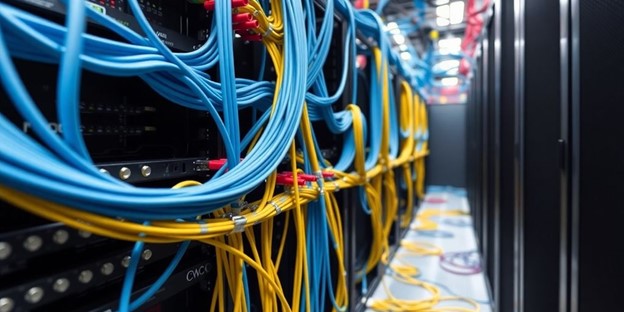
Okay, so you want an efficient data center? It starts with structured cabling. Think of it as the backbone of your entire network. Instead of a chaotic mess of wires, structured cabling gives you a logical, scalable design. This makes everything easier, from troubleshooting to future upgrades. It’s about planning ahead, not just throwing cables where they fit. A well-thought-out system reduces downtime and makes expanding your network way less of a headache.

Planning For Scalability

Scalability is key. You don’t want to redo your entire cabling system every time you add new servers or upgrade your network. Plan for growth. Over-provisioning a bit now can save you a ton of money and disruption later. Consider using modular designs that allow you to easily add or remove components as needed. Think about where you might need more bandwidth in the future and make sure your cabling can handle it. It’s like building a house – you want a foundation that can support future additions.

Integrating Redundancy In Design

Redundancy is your friend. What happens if a cable fails? You don’t want your entire data center to go down. Implementing redundant cabling paths ensures that data can still flow even if one path is disrupted. This might mean running multiple cables to critical devices or using technologies like link aggregation to combine multiple connections into one. It adds cost upfront, sure, but it’s way cheaper than the cost of downtime. Think of it as insurance for your network.

Redundancy isn’t just about having extra cables. It’s about designing your entire network so that single points of failure are minimized. This includes things like redundant power supplies, network switches, and even physical pathways for your cables. It’s a holistic approach to ensuring uptime and reliability.

Implementing Effective Cable Management
Labeling And Organizing Cables

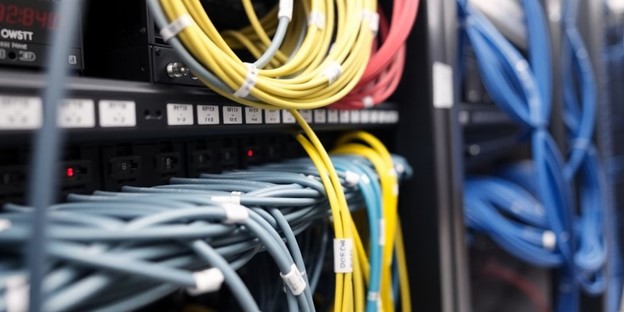
Okay, so picture this: a data center where you can actually find the cable you’re looking for without spending half an hour untangling a mess. That’s the dream, right? Proper labeling is the first step toward cable management nirvana. Use clear, durable labels on both ends of every cable. Color-coding can also be a lifesaver, especially when you’re dealing with different types of connections or network segments. Trust me, your future self will thank you. Think about using a cable management software to keep track of everything. It’s a bit of an upfront investment, but it pays off big time when you need to troubleshoot or make changes. Following cabling standards is also a great idea.

Utilizing Cable Trays And Pathways

Cable trays and pathways are your friends. Seriously. They keep cables off the floor, prevent tangling, and make it easier to add or remove cables as needed. Consider different types of trays – ladder trays, solid bottom trays, wire mesh trays – and choose the ones that best fit your data center’s layout and cable density. Make sure you have enough space in the trays to accommodate future growth. Overcrowding leads to problems down the road. Also, think about airflow. You don’t want cables blocking vents or creating hot spots. Proper cable management isn’t just about aesthetics; it’s about keeping your equipment cool and running efficiently. Here’s a quick rundown:

  • Ladder Trays: Good for heavy cable loads and allowing airflow.
  • Solid Bottom Trays: Provide maximum protection but can trap heat.
  • Wire Mesh Trays: Lightweight and easy to install, with good airflow.

Regular Maintenance And Inspections

Don’t just set it and forget it. Cable management is an ongoing process. Schedule regular inspections to check for damaged cables, loose connections, and any signs of wear and tear. Replace damaged cables immediately. Retighten connections as needed. Keep your cable trays and pathways clean and free of dust. A little preventative maintenance can save you a lot of headaches down the road. Consider using a checklist to ensure that you cover all the important points during your inspections. It’s also a good idea to document any changes or repairs that you make. This will help you keep track of your cabling infrastructure over time.

Regular maintenance is key to preventing downtime and ensuring optimal network performance. Ignoring your cabling infrastructure is like ignoring the oil in your car – eventually, something’s going to break down, and it’s going to be expensive to fix.

Enhancing Network Performance Through Cabling

Minimizing Latency And Interference

Okay, so you want your network to be fast, right? A big part of that is cutting down on latency and interference. Think of latency as the delay between when you send a request and when you get a response. Interference is like static on a radio – it messes with the signal. Good cabling can make a huge difference here. Using shielded cables, keeping cables away from power sources, and making sure your cable runs aren’t too long are all important. Fiber optic cables are great for long distances because they have very low latency and are immune to electromagnetic interference.

Optimizing Bandwidth Utilization

Bandwidth is how much data you can send over your network at once. If you’re trying to stream a bunch of 4K videos and everyone’s complaining about buffering, you probably need more bandwidth. Choosing the right type of cable is key. Cat6a or even Cat7 cables can support higher bandwidth than older standards like Cat5e. Also, make sure your network devices (switches, routers, etc.) can handle the bandwidth you’re trying to push through them. It’s like having a super-fast highway that narrows down to a one-lane road – the bottleneck will kill your speed. Here’s a quick look at cable types and their typical bandwidth capabilities:

Cable TypeBandwidth (Typical)
Cat5e1 Gbps
Cat610 Gbps
Cat6a10 Gbps
Cat740 Gbps
Cat8Up to 40 Gbps

Testing And Certification Processes

So, you’ve got all your fancy new cables installed. How do you know they’re actually working right? That’s where testing and certification come in. Basically, you use specialized tools to check if the cables meet the standards they’re supposed to. This includes things like signal strength, attenuation (signal loss), and crosstalk (interference between cables). If a cable fails a test, you know there’s a problem that needs to be fixed. Certification is usually done by a third party and gives you assurance that your cabling infrastructure meets certain performance levels. It’s a good idea to re-test your cables periodically, especially after any changes or upgrades to your network.

Proper testing and certification aren’t just about finding problems; they’re about preventing them. By catching issues early, you can avoid costly downtime and ensure your network is running at its best.

Here are some common tests performed:

  • Wire Map Test
  • Insertion Loss Test
  • Return Loss Test
  • NEXT (Near-End Crosstalk) Test

Future-Proofing Your Data Center Cabling

It’s 2025, and data centers are evolving faster than ever. To keep up, your cabling infrastructure needs to be ready for what’s coming. This means thinking beyond current needs and planning for future demands. Let’s explore how to make your data center cabling future-proof.

Adapting To Emerging Technologies

New technologies are constantly emerging, and they often require different cabling solutions. For example, the rise of AI-driven compute clusters demands high-bandwidth, low-latency connections. Consider these points:

  • Stay informed: Keep up with the latest trends in data center technology, such as new server architectures and networking protocols.
  • Modular design: Implement a modular cabling system that can be easily upgraded or reconfigured as needed.
  • Consider liquid cooling: As power densities increase, liquid cooling is becoming more common. Ensure your cabling infrastructure can accommodate these systems.

Planning For Increased Bandwidth Needs

Bandwidth demands are only going to increase. Streaming, big data, and cloud computing all contribute to this growth. Your cabling infrastructure needs to be able to handle these increasing demands. Here’s how to plan for it:

  • Assess current usage: Understand your current bandwidth consumption and project future needs based on growth forecasts.
  • Choose high-bandwidth cabling: Opt for cabling solutions that can support higher data rates, such as Cat8 or fiber optic cables.
  • Implement parallel optics: Consider using parallel optics to increase bandwidth capacity without replacing existing cabling.

Investing In Scalable Solutions

Scalability is key to future-proofing your data center cabling. You need to be able to easily expand your infrastructure as your needs grow. Here’s how to invest in scalable solutions:

  • Structured cabling: Implement a structured cabling system that is designed for easy expansion and modification.
  • Over-provisioning: Install more cabling than you currently need to allow for future growth without major disruptions.
  • Centralized management: Use a centralized cable management system to simplify administration and make it easier to track and manage your cabling infrastructure.

Future-proofing isn’t just about buying the latest technology; it’s about building a flexible and adaptable infrastructure that can evolve with your business needs. By planning ahead and investing in scalable solutions, you can ensure that your data center cabling is ready for whatever the future holds.

Troubleshooting Common Cabling Issues

Data center cabling, like any complex system, can run into problems. Knowing how to troubleshoot these issues quickly and effectively is essential for maintaining uptime and performance. Let’s look at some common problems and how to tackle them.

Identifying Connection Problems

One of the first steps in troubleshooting is identifying where the connection problem lies. Start with the basics: Are all the cables securely plugged in? It sounds simple, but a loose connection is a surprisingly common culprit. Check the physical connections at both ends of the cable.

  • Visually inspect cables for any signs of damage, such as cuts, bends, or frayed ends.
  • Use a cable tester to verify continuity and signal strength.
  • Check the hardware components for any visible damage.

Sometimes, the issue isn’t a complete disconnection but a degraded signal. This can be harder to spot but can cause intermittent problems.

Tools For Effective Troubleshooting

Having the right tools can make troubleshooting much easier and faster. Here are a few tools that are good to have on hand:

  • Cable Tester: Essential for verifying cable continuity, identifying shorts, and measuring signal strength.
  • Tone Generator and Probe: Helps trace cables through bundles, making it easier to identify specific cables.
  • Visual Fault Locator (VFL): Used for identifying breaks or bends in fiber optic cables.
  • Network Multimeter: A more advanced tool that can measure various network parameters, such as voltage, current, and resistance.

Preventative Measures To Avoid Issues

Prevention is always better than cure. Implementing some preventative measures can significantly reduce the likelihood of cabling issues. One thing to consider is structured cabling installers. Here are some tips:

  • Proper Cable Management: Use cable ties, labels, and pathways to keep cables organized and prevent tangling.
  • Regular Inspections: Conduct routine inspections to identify and address potential problems before they cause downtime.
  • Environmental Control: Maintain proper temperature and humidity levels in the data center to prevent cable degradation.
  • Use Quality Cables and Connectors: Investing in high-quality cabling infrastructure can reduce the risk of failures and improve overall performance. Consider the cable continuity when choosing cables.

Wrapping It Up

So, there you have it. Cabling in data centers isn’t just about running wires and calling it a day. It’s about planning, organizing, and thinking ahead. If you want your data center to run smoothly in 2025 and beyond, you need to invest some time in getting your cabling right. From choosing the right cables to keeping everything neat and labeled, every little detail counts. Remember, a well-structured cabling system can save you headaches down the line, cut down on downtime, and make your network more efficient. Don’t overlook this part of your setup; it’s the backbone of your operations. Get it sorted, and you’ll be set for whatever the future throws your way.

Frequently Asked Questions

What are the main types of cabling used in data centers?

Data centers mainly use fiber optic and copper cabling. Fiber optic cables are great for fast, long-distance data transfer, while copper cables are often used for shorter connections.

How can I choose the right cabling for my data center?

To choose the right cabling, consider your speed needs, distance requirements, and budget. Fiber optic is best for high-speed connections, while copper can be more cost-effective for shorter runs.

What is structured cabling and why is it important?

Structured cabling is a system that organizes all the cables in a network. It helps reduce clutter, makes troubleshooting easier, and allows for future upgrades without major changes.

How often should I maintain my data center cabling?

It’s best to check your cabling at least once a year. Regular maintenance helps spot problems early and keeps your network running smoothly.

What are some common problems with data center cabling?

Common issues include tangled wires, loose connections, and signal interference. These can slow down your network or cause outages.

How can I future-proof my data center cabling?

To future-proof your cabling, choose high-quality materials that support higher speeds and plan for potential upgrades as technology advances.


Schedule a call today with one of our team members to discuss your Managed IT services needs with Megawire – For more details, Click Here.


This blog is not meant to provide specific advice or opinions regarding the topic(s) discussed above. Should you have a question about your specific situation, please discuss it with your Megawire IT advisor.

Megawire is a full-service Managed IT services provider. We primarily service all of Ontario and the rest of Canada, the US, and Australia virtually. Our team provides IT infrastructure assessments, network security audits, cloud computing solutions, and IT support for businesses of all sizes and industries.

If you would like to schedule a call to discuss your Managed IT services with one of our team members, please complete the free no-obligation meeting request. – For more details, Click Here.


Cybersecurity Starts at the Physical Layer: What Most Companies Miss

While cybersecurity technologies capture headlines with AI-powered firewalls and next-gen endpoint protection, there’s one fundamental aspect that many enterprises overlook entirely: the physical layer. For mid-sized manufacturers, where IT intersects with operational technology (OT), this oversight can leave critical vulnerabilities wide open.

This blog post examines the often-overlooked connection between physical infrastructure and cybersecurity, highlighting why structured cabling and physical layer security are as essential as your most advanced software tools. We’ll explore the risks, explain best practices, and provide actionable insights to fortify your manufacturing operations from the ground up.

Why Physical Layer Security Matters More Than You Think

The physical layer forms the foundation of the Open Systems Interconnection (OSI) model, the framework governing all communication systems. This layer includes the hardware elements that enable connectivity in your organization, such as:

  • Structured cabling
  • Ethernet ports and switches
  • Servers and physical network devices
  • Wireless access points

While often perceived as merely “plumbing” for IT systems, a weak or misconfigured physical layer poses more cybersecurity risks than many CIOs and CTOs realize. Cybercriminals looking to infiltrate networks often exploit vulnerabilities at this foundational level, engaging in activities such as:

  • Tap and Intercept: Unsecured network cables and jacks can be easily tapped, allowing saboteurs to intercept sensitive data.
  • Hardware Manipulation: Unprotected switches or routers can be tampered with or replaced to create malicious backdoors.
  • Physical Access: Manufacturing floors, often bustling with both employees and third-party contractors, are prime targets for unauthorized access to network infrastructure.

A single weak spot, such as an exposed network jack or unsecure server rack, could provide an entry point for significant breaches. Unfortunately, these risks are often underestimated or ignored entirely because physical security lacks the “glamour” of advanced encryption or AI defenses.

The Interplay Between Physical Security and Cybersecurity Technologies

For many mid-sized manufacturers, the divide between IT (Information Technology) and OT (Operational Technology) creates a siloed approach to security. This division compounds risks. For example:

  1. IoT Devices on the factory floor rely heavily on network connectivity. If attackers gain access to the physical network infrastructure that powers these devices, cybersecurity software at higher levels cannot compensate for the intrusion.
  2. Industrial Control Systems (ICS) represent high-value targets for hackers. Without robust physical barriers and structured cabling management, securing software layers may become futile.
  3. Supply Chain Interconnectivity means manufacturers are increasingly dependent on external vendors. A weak physical layer amplifies threats of supply chain attacks, which can bypass traditional cybersecurity technologies.

Thus, a holistic approach that integrates physical security with advanced cybersecurity technologies is critical.

Core Components of Physical Layer Security

Mid-sized manufacturers can follow these key steps to mitigate physical layer vulnerabilities and create a robust cybersecurity foundation:

1. Lock Down Network Endpoints

Ensure all endpoints, such as Ethernet jacks, routers, and wireless access points, are secured. Unauthorized access points should be eliminated or monitored via physical locks and port authentication protocols like IEEE 802.1X.

2. Invest in Structured Cabling

Structured cabling is more than just an organized approach to manage cables. It optimizes network performance while allowing for redundancy and easier troubleshooting. Without structured cabling, improper cable management can leave critical segments of your network exposed.

3. Deploy Server Room Security

Server racks, which house your computing power, should have robust locking mechanisms. Only authorized personnel should have access, and surveillance systems should monitor all activity in these areas to deter tampering.

4. Secure Physical Networks with VLANs

Using VLAN (Virtual Local Area Networks) segmentation ensures that even if someone accesses the physical layer, they cannot exploit access to the entire network. VLANs can separate IT from OT environments, reducing attack surfaces.

5. Fibre vs Copper: A Strategic Choice

Fiber optic cables are inherently more secure than copper cables due to immunity to electronic interference and difficulty in tapping. Migrating critical segments to optical fiber can significantly bolster physical layer security.

6. Monitor Access with Security Sensors

Physical security shouldn’t stop with locks. Sensors that monitor physical access to enclosures, such as tamper-evident seals or keycard access logs, can provide an additional layer of defense.

The Consequences of Neglecting the Physical Layer

Failing to secure the physical layer leaves a gap waiting to be exploited. Here are two real-world scenarios that illustrate these risks:

Case 1: Manufacturing Plant Data Breach Through Unsecured Cabling

A mid-sized manufacturing plant in the United States suffered a data breach when a contractor working in the facility tapped into an unused Ethernet port. The attacker used basic network tools to intercept proprietary production data. This breach cost the plant over $750,000 in lost revenue and fines for regulatory violations.

Case 2: Industrial Sabotage via Network Switch Manipulation

An employee at a European electronics factory, disgruntled over job disputes, exploited insufficient monitoring of network cabinets. By swapping out a legitimate switch for a compromised device, they allowed a third party to access sensitive files. The breach wasn’t detected until months later, after significant financial damage had been done.

Both examples underscore the need to treat the physical layer as a key component of the overall cybersecurity strategy.

Bridging the Gap with a Unified Approach

Manufacturers aiming to mitigate cybersecurity risks must adopt an integrated approach that bridges the physical layer with digital cybersecurity technologies. Here’s how:

  • Combine Physical and Digital Monitoring: Unified monitoring platforms that include both physical access control and digital threat detection provide complete, end-to-end security.
  • Train Staff on Security Protocols: Both IT and facility management teams should receive coordinated training on handling physical and cybersecurity technologies.
  • Conduct Routine Audits: Regularly assess both the physical and digital layers of your network infrastructure. Look for weak points that hackers might exploit.

Proactive Investments Lead to Long-Term Returns

Integrating physical and digital security not only reduces risks but also drives operational efficiencies by preventing costly cybersecurity incidents. For manufacturers, a cohesive strategy can also improve compliance with regulations such as ISO 27001 or NIST guidelines, making the business more attractive to partners and investors alike.

Keeping Your Manufacturing Operations Secure

Like the foundation of a building, the physical layer of your cybersecurity infrastructure determines the strength of the entire structure. Overlooking this foundational layer can create unseen vulnerabilities that hackers are more than willing to exploit.

If your current approach to network protection doesn’t address the physical layer comprehensively, it’s time for a serious reassessment. Taking proactive steps, such as adopting structured cabling and securing network access points, can stop threats before they escalate.

For forward-thinking manufacturers, investing in physical layer security isn’t just a priority; it’s an opportunity to lead in an increasingly competitive industry.


Schedule a call today with one of our team members to discuss your Managed IT services needs with Megawire – For more details, Click Here.


This blog is not meant to provide specific advice or opinions regarding the topic(s) discussed above. Should you have a question about your specific situation, please discuss it with your Megawire IT advisor.

Megawire is a full-service Managed IT services provider. We primarily service all of Ontario and the rest of Canada, the US, and Australia virtually. Our team provides IT infrastructure assessments, network security audits, cloud computing solutions, and IT support for businesses of all sizes and industries.

If you would like to schedule a call to discuss your Managed IT services with one of our team members, please complete the free no-obligation meeting request. – For more details, Click Here.

GET IN TOUCH

CONTACT US

End-To-End Private Cloud & Infrastructure As A Service


For inquiries, please leave us your details.