Mastering Structured Cable Design: Essential Tips for Modern Installations
Posted On May 1, 2025, by Megawire Marketing Team
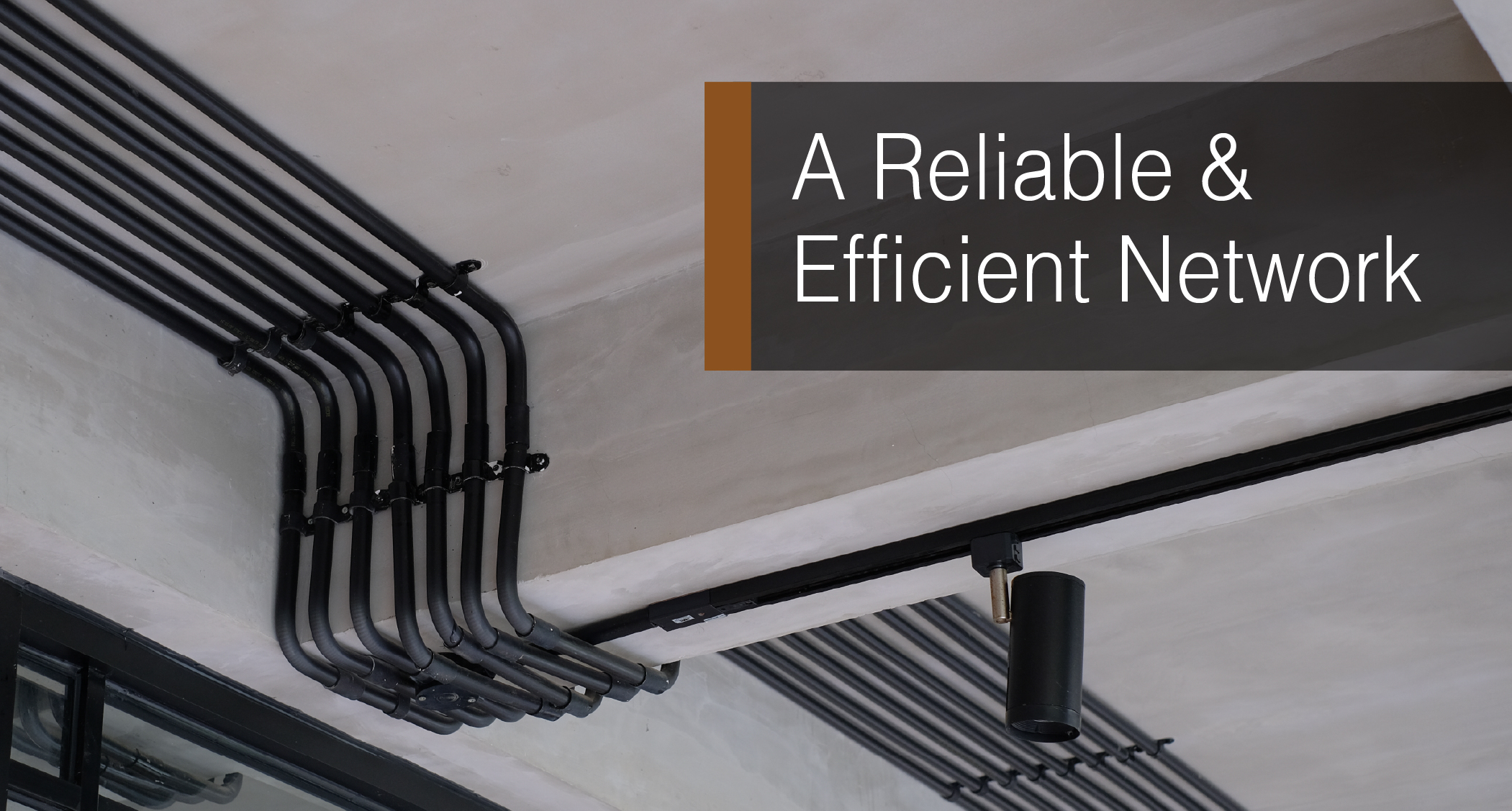
Structured cable design is essential for creating a reliable and efficient network infrastructure. Whether you’re setting up a small office or a large enterprise, understanding the principles of good cable design can save you time, money, and headaches down the line. In this article, we’ll cover practical tips and techniques to help you master structured cable design, ensuring your installations are up to par with modern standards.
Key Takeaways
- Plan your network layout carefully to accommodate future needs.
- Use effective cable management to keep installations neat and functional.
- Choose the right cables with proper shielding to minimize interference.
- Follow labeling standards for easy identification and troubleshooting.
- Stay informed about the latest technologies and training opportunities in structured cabling.
Best Practices for Structured Cable Design
Planning and Design Considerations
Okay, so before you even think about running a single cable, you need a solid plan. Think of it as the blueprint for your entire network. What are your current needs? What about future growth? How many devices will you be connecting? Where will they be located? All of this needs to be mapped out. It’s way better to spend time planning upfront than to rip everything out and start over later. Trust me on this one.
Proper Cable Management Techniques
Cable management is where things can get messy real quick. Nobody wants a rat’s nest of wires behind their desk or in the server room. It looks unprofessional, makes troubleshooting a nightmare, and can even affect performance. Here are a few things I’ve learned:
- Use cable ties or Velcro straps to bundle cables together.
- Invest in cable trays or raceways to keep cables organized and off the floor.
- Label everything clearly, at both ends of the cable.
- Maintain proper bend radius to avoid damaging the cables.
Proper cable management isn’t just about aesthetics; it’s about making your network easier to maintain and troubleshoot in the long run. A well-organized system saves time and reduces the risk of errors.
Shielding and Insulation Requirements
Shielding and insulation are super important, especially if you’re dealing with environments that have a lot of electromagnetic interference (EMI). Things like fluorescent lights, motors, and even other cables can cause interference that degrades your signal. Shielded cables help to block out this interference, ensuring a cleaner, more reliable connection. Make sure your cables are properly insulated to prevent shorts and other electrical hazards. It’s a small investment that can make a big difference in the long run.
Measuring and Cutting Cables
Okay, so you’re ready to run some cable. First things first: measure everything twice (or even three times!). Accurate measurements are key to avoiding waste and ensuring you have enough cable to reach your termination points. Don’t forget to account for slack – you’ll need some extra cable at each end for making connections and future adjustments. It’s way better to have a little too much than not enough. When cutting, use a proper cable cutter to get a clean, even cut. A dull blade will just mangle the cable and make termination a nightmare. Trust me, I’ve been there.
Proper Pulling Techniques
Pulling cable can be tricky. You don’t want to damage the cable, but you also need to get it where it needs to go. Use cable lubricant to reduce friction, especially when pulling through conduit or tight spaces. Avoid exceeding the cable’s maximum pulling tension – check the manufacturer’s specs. If you encounter a snag, don’t just yank on the cable. Gently work it back and forth until you can identify and clear the obstruction. It’s also a good idea to use fish tape or pulling rods to guide the cable through walls and ceilings.
Labeling and Documentation
Seriously, don’t skip this step. Labeling your cables is a lifesaver when it comes to troubleshooting or making changes later on. Use a clear, consistent labeling scheme and label both ends of each cable. Document everything: cable runs, termination points, and any other relevant information. This documentation will be invaluable for future maintenance and upgrades. I like to use a spreadsheet or a dedicated cable management software to keep track of everything. Trust me, your future self will thank you.
Proper documentation is not just a good practice; it’s an investment in the long-term maintainability and scalability of your network infrastructure. It reduces downtime, simplifies troubleshooting, and makes future upgrades much easier to manage.
Common Network Topologies
When setting up a network, the topology you choose is a big deal. It dictates how devices connect and communicate. There are several common types, each with its own pros and cons. Let’s break down a few:
- Bus Topology: This is one of the simplest setups. All devices are connected to a single cable, called the ‘bus’. It’s easy to set up, but if the bus fails, the whole network goes down. Plus, it’s not great for large networks because performance degrades as more devices are added.
- Star Topology: In this setup, all devices connect to a central hub or switch. If a device fails, it doesn’t affect the rest of the network. It’s also easier to troubleshoot than a bus topology. However, if the central hub fails, the entire network is down. Star topologies are very common in modern networks.
- Ring Topology: Devices are connected in a circular fashion, with each device connected to two others. Data travels in one direction around the ring. It can offer good performance, but a failure in one device can disrupt the entire network. It’s less common these days.
- Mesh Topology: This is where things get interesting. Each device is connected to many other devices. This provides redundancy, so if one connection fails, data can still travel along another path. It’s very reliable but also more complex and expensive to set up. Mesh topologies are often used in critical infrastructure where uptime is paramount.
Choosing the right topology depends on your specific needs, budget, and the size of your network. Consider factors like reliability, scalability, and cost when making your decision.
Infrastructure Planning Essentials
Proper infrastructure planning is key to a successful network. It’s not just about picking a topology; it’s about thinking through all the details. Here’s what you need to consider:
- Bandwidth Requirements: How much data will your network need to handle? This will influence the type of cabling and network devices you choose. Don’t underestimate this! Plan for future growth.
- Physical Layout: Consider the physical space where your network will be installed. Where will the servers, switches, and other devices be located? How will you run the cables? A well-organized layout makes maintenance and troubleshooting much easier. Think about using a 24 port patch panel to keep things tidy.
- Security: Security should be a top priority. Implement firewalls, access controls, and other security measures to protect your network from threats. Consider physical security as well, such as securing server rooms and network closets.
Routing and Conduit Usage
Routing and conduit usage are important aspects of network design. Routing refers to how data travels across the network. You’ll need to configure routers and switches to ensure data reaches its destination efficiently. Conduit usage involves using pipes or channels to protect and organize network cables. This is especially important in environments where cables might be exposed to damage or interference. Using conduits not only protects the cables but also makes it easier to add or remove cables in the future. It’s all about keeping things neat, safe, and manageable. Proper routing ensures efficient data delivery, while conduits provide physical protection and organization for your cabling infrastructure.
Challenges in Structured Cable Design
Common Installation Pitfalls
Structured cabling, while offering numerous benefits, isn’t without its challenges. One of the biggest hurdles is avoiding common installation pitfalls. These mistakes can lead to performance issues, increased costs, and a whole lot of frustration down the line. Proper planning and design are key to avoiding these issues.
Here are some common mistakes to watch out for:
- Using low-quality cables or components: Skimping on materials can lead to signal degradation and premature failure. Always opt for high-quality cables and connectors.
- Poor cable management: A tangled mess of cables not only looks unprofessional but also makes troubleshooting and maintenance a nightmare. Implement effective cable management techniques from the start.
- Ignoring industry standards: Adhering to standards ensures compatibility and performance. Familiarize yourself with relevant standards like ANSI/TIA-568.
Dealing with Interference
Interference can wreak havoc on your network performance. Electromagnetic interference (EMI) and radio frequency interference (RFI) can disrupt data transmission, leading to slow speeds and unreliable connections. Shielded cables are a must in environments with high levels of electrical noise. Proper grounding is also important to minimize interference. Avoid running cables near power lines or other sources of interference. Consider these points:
- Identify potential sources of interference.
- Use shielded cables where necessary.
- Ensure proper grounding.
Dealing with interference is a constant battle. It’s not always possible to eliminate it completely, but with careful planning and the right techniques, you can minimize its impact.
Addressing Compatibility Issues
Ensuring compatibility between different network components is another significant challenge. Mismatched connectors, incompatible cable types, or outdated equipment can all lead to connectivity problems. Before starting any installation, verify that all components are compatible with each other. This includes cables, connectors, patch panels, and network devices. It’s also important to consider future compatibility. Will your [network cabling](structured cabling) solution be able to support new technologies and increased bandwidth demands?
Here’s a simple checklist:
- Verify connector types.
- Check cable categories.
- Ensure compatibility with network devices.
Mastering Cable Termination and Labeling
Importance of Proper Termination
Okay, so you’ve run all your cables, now what? This is where the magic happens, or where everything falls apart. Proper termination is absolutely key to a reliable network. If you botch this step, you’re looking at signal degradation, intermittent connections, and a whole lot of frustration down the road. Think of it like this: a loose wire in a plug can cause a lamp to flicker; a poorly terminated network cable can cause your entire system to go haywire. It’s not just about shoving wires into connectors; it’s about doing it right, every single time. This means using the right tools, following the correct wiring standards (T568A or T568B, pick one and stick with it!), and making sure each connection is solid and secure.
Labeling Standards and Best Practices
Labeling? Yeah, it sounds boring, but trust me, future you will thank you. Imagine trying to troubleshoot a network with dozens of unlabeled cables. Nightmare fuel, right? A good labeling system is like a map for your network. It tells you where each cable goes, what it connects to, and what it’s for. There are a few things to keep in mind:
- Consistency is key. Use the same labeling scheme throughout your entire installation.
- Make it readable. Use a clear, easy-to-read font and a durable label maker.
- Label both ends. This seems obvious, but it’s easy to forget. Label both ends of every cable, patch panel port, and wall plate.
A well-labeled network is a happy network. It makes troubleshooting faster, upgrades easier, and reduces the chances of accidental disconnections. It’s a small investment that pays off big time in the long run.
Testing and Documentation Procedures
So, you’ve terminated and labeled everything. Now it’s time to make sure it actually works. Cable testing is non-negotiable. A simple cable tester can check for continuity and shorts, while more advanced testers can measure signal loss and other performance metrics. Here’s a basic testing procedure:
- Test every cable. Don’t skip any.
- Document your results. Keep a record of your test results, including cable IDs, test dates, and any issues found.
- Retest after any changes. If you move or replace a cable, retest it to make sure it’s still working properly.
| Test Type | Purpose | Tool Required |
| Continuity Test | Checks for basic connectivity | Cable Tester |
| Wire Map Test | Verifies correct wiring order | Cable Tester |
| Signal Loss Test | Measures signal degradation over the cable | Advanced Cable Tester |
Continuing Education in Structured Cabling
Hands-On Training Opportunities
It’s not enough to just read about structured cabling; you need to get your hands dirty! Practical experience is super important. Lots of vocational schools and community colleges have programs specifically for future network cabling pros. These programs usually cover stuff like different cable types, how to install them, termination methods (crimping, soldering, all that jazz), and how to test everything to make sure it works. You can find expert-led training that will help you learn the ropes.
Certifications for Professionals
Getting certified can really boost your career. It shows employers that you know your stuff and are serious about your job. Here are a few common certifications:
- BICSI Installer:
- Certified Fiber Optic Technician (CFOT):
- BICSI Registered Communications Distribution Designer (RCDD):
Think of certifications as a way to prove you have the skills. They’re not just pieces of paper; they show you’ve put in the work and understand the standards.
Staying Updated with Industry Trends
Technology changes fast, so you can’t just learn something once and call it good. You need to keep learning to stay relevant. Here’s how:
- Attend workshops and seminars: These are great for learning about new products and techniques.
- Go to industry conferences: Networking with other professionals can give you insights into what’s coming next.
- Read industry publications: Stay up-to-date on the latest news and best practices. Keeping up with network cabling is a must.
Future-Proofing Your Network Infrastructure
Scalability in Structured Cabling
Scalability is super important when you’re setting up your structured cabling. You don’t want to redo everything in a year or two, right? Think about how much your network might grow. Patch panels are a great way to make your network more scalable. They let you add connections without a complete overhaul.
Integrating New Technologies
It’s hard to predict the future, but you can plan for it. New tech is always coming out, so your cabling should be ready. Modular patch panels, especially those with keystone slots, are awesome because you can swap out connectors as needed. Fiber optic cables are also something to consider, since they offer way higher speeds than copper.
Planning for Increased Data Loads
Data usage is only going up, up, up. Think about all the streaming, video conferencing, and cloud services we use now. Your cabling needs to handle all that traffic.
Make sure you’re using high-quality cables and components. It might cost a bit more upfront, but it’ll save you headaches (and money) down the road. Also, keep up with industry standards. That way, your network will be compatible with new devices and technologies.
Here’s a quick look at cable categories and their speeds:
| Cable Category | Max Speed |
| Cat5e | 1 Gbps |
| Cat6 | 10 Gbps (limited) |
| Cat6a | 10 Gbps |
| Cat8 | 25/40 Gbps |
Also, consider these points:
- Use high-density patch panels to save space.
- Plan for Power over Ethernet (PoE) needs.
- Document everything clearly. Future you will thank you.
Wrapping It Up
In the end, mastering structured cable design is all about planning and attention to detail. You’ve got to think ahead about your network’s needs and keep things organized. Proper cable management and following industry standards can save you a lot of headaches down the line. Remember, it’s not just about getting the job done; it’s about doing it right. So, take your time, label those cables, and don’t skip the testing phase. With these tips in your toolkit, you’ll be well on your way to creating a solid network that can grow with you.
Frequently Asked Questions
What is structured cabling?
Structured cabling is a system of cables and connections used to support a network. It organizes how data travels and helps connect devices like computers and printers.
Why is planning important for cable design?
Planning is important because it helps you decide how many cables you need, where they should go, and what type of cables to use. Good planning makes your network work better.
What are some common cable management techniques?
Common cable management techniques include using cable ties to keep cables neat, labeling each cable for easy identification, and using trays or racks to organize cables.
How can I prevent interference in my network?
To prevent interference, use shielded cables, keep cables away from electrical lines, and ensure that cables are properly insulated.
What should I know about cable termination?
Cable termination is when you connect the ends of the cables to devices. It’s important to do this correctly to ensure a good connection and prevent signal loss.
How can I keep my network up to date?
You can keep your network up to date by taking training courses, getting certifications, and staying informed about new technologies and best practices.
_____________________________________________________________________________________________________________________________________________
Schedule a call today with one of our team members to discuss your Managed IT services needs with Megawire – For more details, Click Here.
_____________________________________________________________________________________________________________________________________________
This blog is not meant to provide specific advice or opinions regarding the topic(s) discussed above. Should you have a question about your specific situation, please discuss it with your Megawire IT advisor.
Megawire is a full-service Managed IT services provider. We primarily service all of Ontario and the rest of Canada, the US, and Australia virtually. Our team provides IT infrastructure assessments, network security audits, cloud computing solutions, and IT support for businesses of all sizes and industries.
If you would like to schedule a call to discuss your Managed IT services with one of our team members, please complete the free no-obligation meeting request. – For more details, Click Here.
Connect With Us
- 24/7 monitoring
- 24/7 monitoring and incident response
- AI Integration
- ANSI/BICSI 002
- Artificial Intelligence
- automatic threat isolation
- Category
- clarity of service scope
- cloud infrastructure
- commercial structured cabling
- Compliance and audit support
- Cost Efficiency
- cross-domain expertise
- Customizable and scalable solutions
- cybersecurity
- cybersecurity audits
- cybersecurity mandates
- cybersecurity service
- cybersecurity solutions
- cybersecurity threats
- data center structured cabling
- design and deploy Zero Trust frameworks
- e-commerce
- education
- Efficiency
- Employee awareness training to prevent phishing
- EN 50173
- Endpoint detection and response
- Endpoint Detection and Response (EDR)
- endpoint devices
- endpoint security
- Energy Efficiency
- Enhanced Performance
- Enhanced Productivity
- essential defense mechanism
- Event Management
- evolving cybersecurity regulations
- fast-growing enterprises
- finance
- fully managed cybersecurity services
- Future-Proofing
- High Capacity
- hybrid environments
- hybrid industrial environments
- identifying anomalies
- identity access management
- Ignoring Standards
- Inadequate Labeling
- Incorrect Testing
- internal security policies
- international and regional cybersecurity regulations
- ISO/IEC 11801
- Long-Distance Connectivity
- managed IT services
- managed LAN services
- micro-segmentation
- Multi-factor authentication
- multi-layered security defense
- network access for manufacturing
- New
- next-gen SIEM deployment and management
- optimisation for factories
- OT-IT convergence
- Outsourcing cybersecurity
- Performance
- Performance transparency
- Ransomware
- ransomware attacks
- ransomware defense and recovery services
- real-time data connectivity
- Reduced Downtime
- Reliability
- Scalability
- Security and compliance clauses
- significant cost
- Smart Factories
- Southeast Asia
- Standards Govern Structured Cabling Systems
- strategic value
- Strong client testimonials and case studies
- structured cable installation
- structured cabling installation
- structured cabling installation services
- structured cabling services
- structured cabling specialist
- structured cabling system
- structured data cabling installation
- structured network cabling
- Tag
- TIA/EIA-568
- Transparent pricing and SLAs
- Using Low-Quality Materials
- various sources
- Zero Trust Architecture